
 Explore Local Review
Better Claude Code with Paddock on Your Laptop
Paddock now runs on your own machine with one command, opens on the Claude Code history you already have, and tells you exactly which parts of your ~/.claude it is and isn't touching.

Browser tabs for Claude Code.
I love Claude Code. I also have dozens of conversations going at once — and a terminal is a hard place to keep dozens of anything. A multiplexer full of tabs helps, right up until a security update reboots the laptop and you spend the morning reattaching sessions and guessing which one was which.
Paddock moves those chats onto a server. They persist and resume from any browser, they keep running while your laptop is shut — on schedules, on events, reporting back when they're done — and you can file them into projects once there are too many to hold in your head. It's open source and built on herdctl.
Twenty seconds in a real instance — sending a turn, watching it work, one chat opening three more, triggers running while you're away, the diff at the end, and the whole thing on a phone
Somewhere to keep all those chats
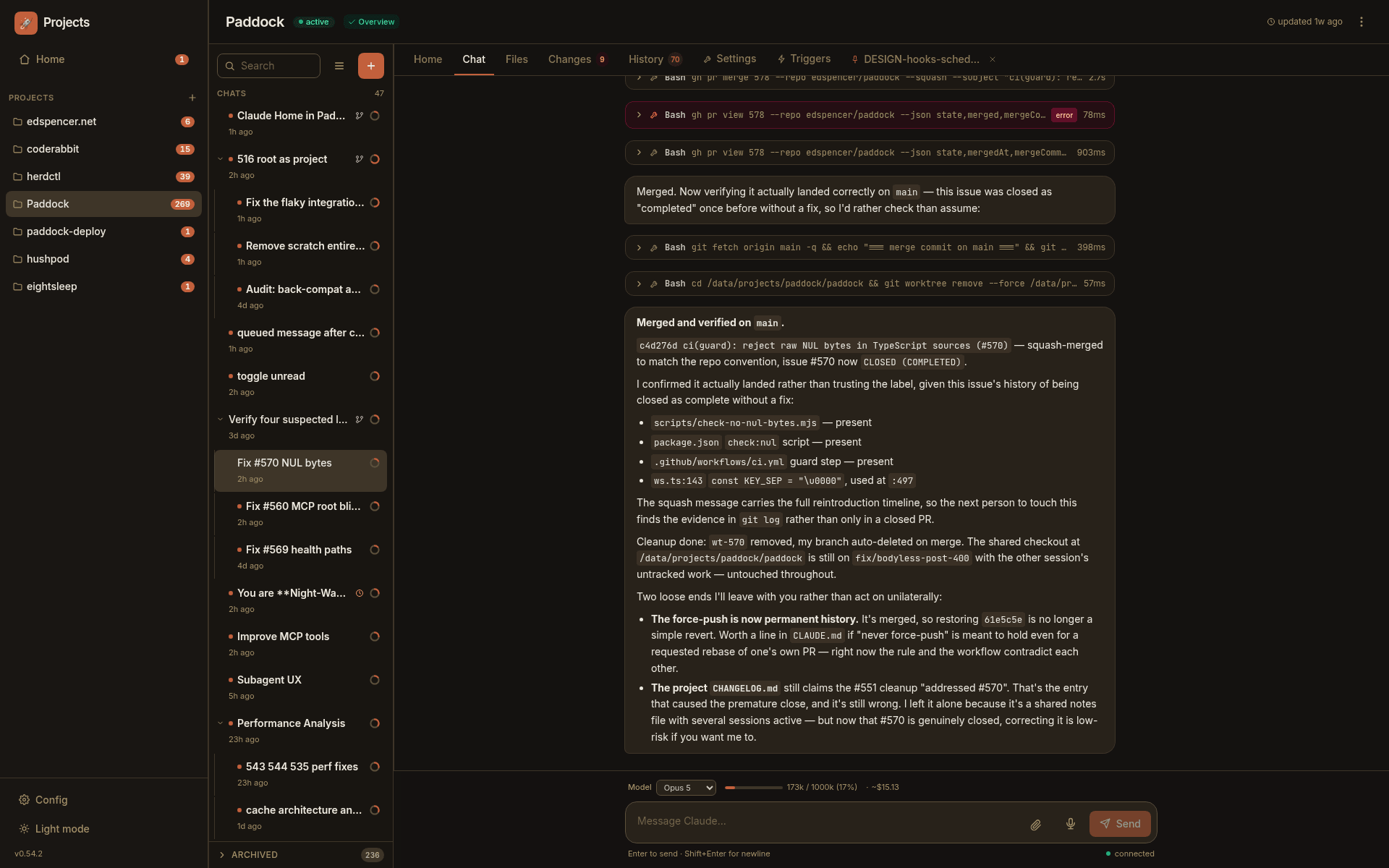
A chat in Paddock isn't a Paddock invention — it is a Claude Code session, the same one you'd have in a terminal, persisted on disk and resumable across reloads, reconnects and devices. Tabs didn't just save space; they made it reasonable to keep twenty things open at once. That's what this is for.
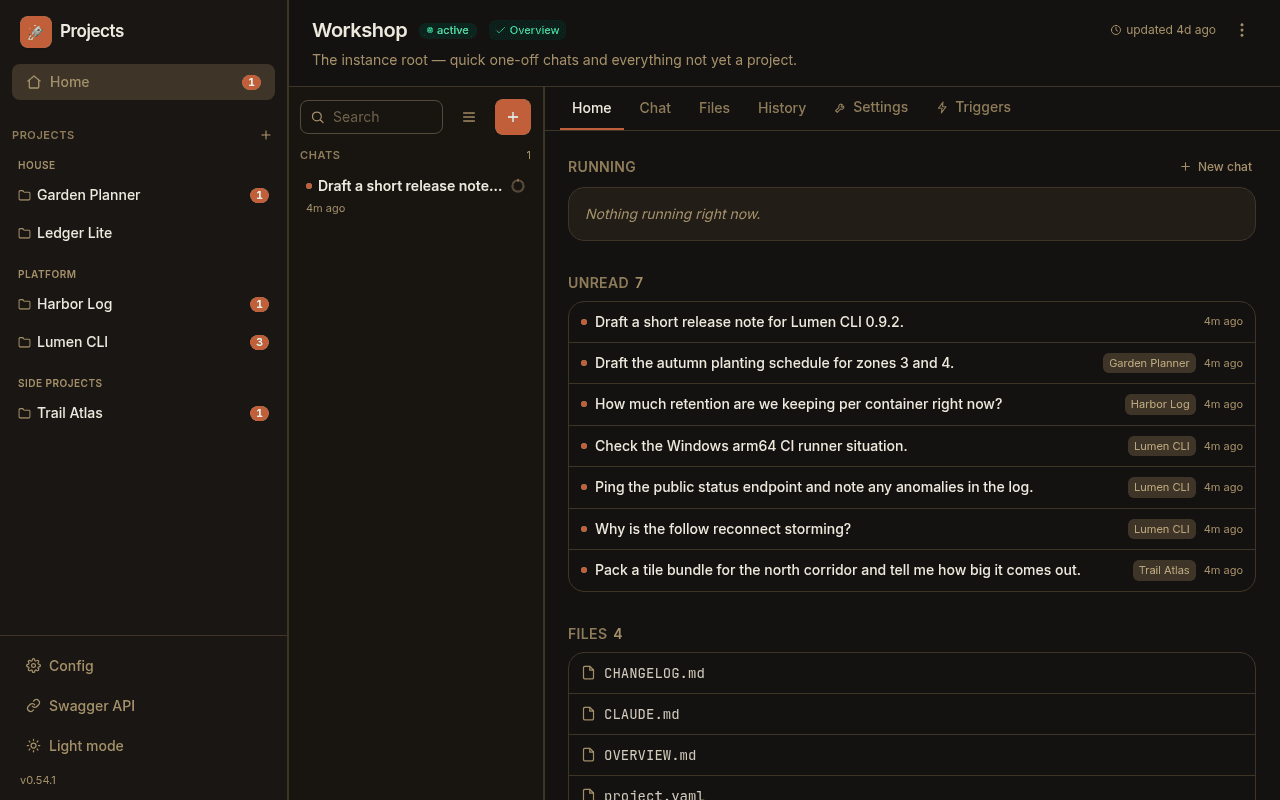
Start anywhere — a new instance is just a list of chats, and plenty of mine never become anything more. When there are too many to hold in your head, sort them into projects. A project is simply a directory to file chats under, and chats you start there run with that directory as their working directory, so a repo's own CLAUDE.md and skills apply without you doing anything. Home stays above all of it: what's mid-turn right now, and what replied while you were elsewhere.
One command and it's yours
Paddock is a single process with a single data volume. Give it a token and somewhere to keep its data and you have the thing in the video above, running on your own hardware, on your own Claude subscription*.
There's no account to make and nothing phones home. When you want more — :devbox, Compose, Proxmox, Kubernetes, a proxy in front — the deploy recipes are further down.
# Run the published image
docker run -d --name paddock -p 4000:4000 \
  -e CLAUDE_CODE_OAUTH_TOKEN=… \
  -e PADDOCK_DATA_DIR=/data \
  -v paddock-data:/data \
  ghcr.io/edspencer/paddock:latest

# Then open the launchpad
open http://localhost:4000Watch the agent actually do it
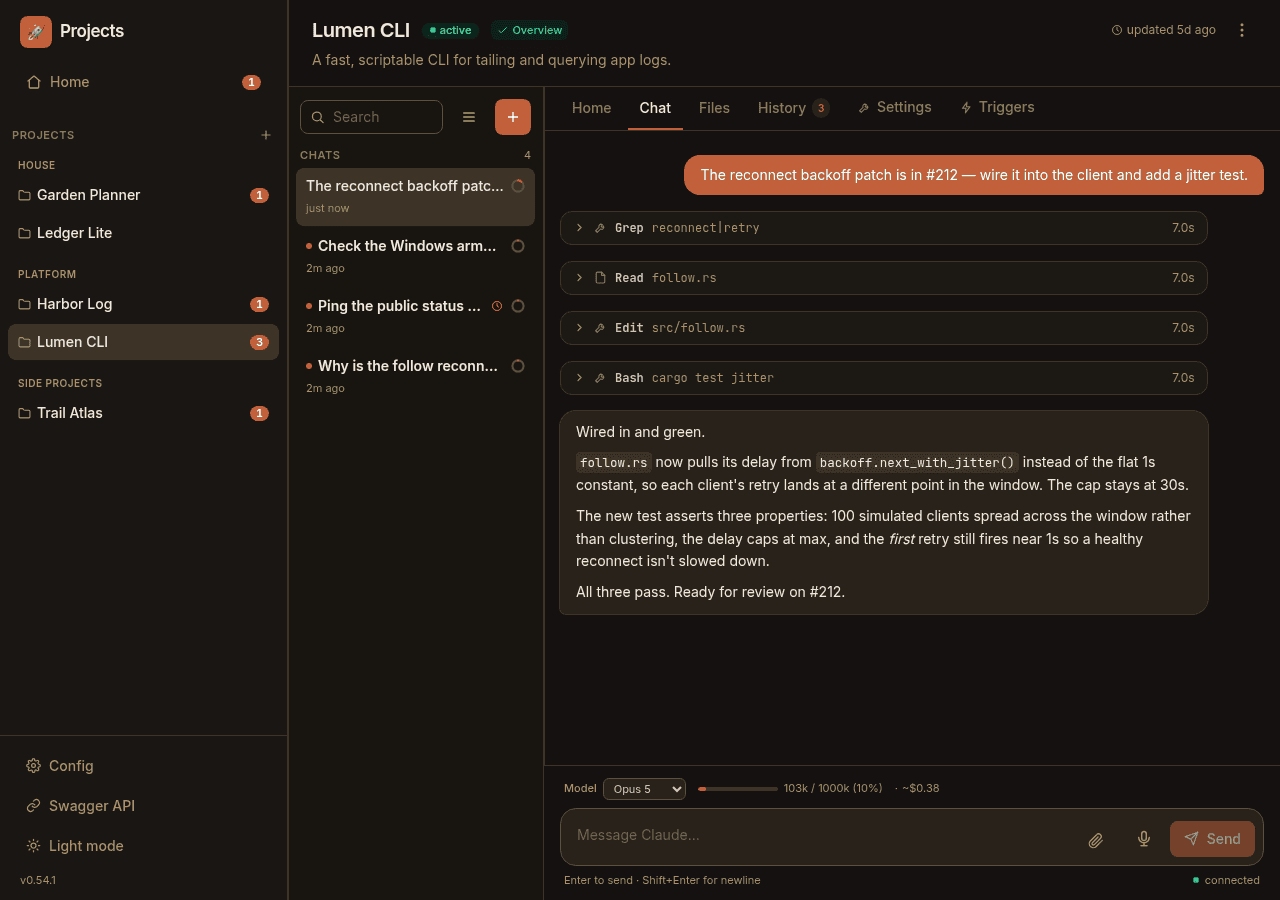
Replies stream token-by-token, and every tool call renders as its own card as it runs — Edit diffs, Bash exit codes, Grep counts, each with its own timing. Sub-agents nest as live cards that roll their costs up into the parent.
You always know how full the context window is: a bar above the composer, a ring beside every chat in the sidebar, and a chip on each message telling you where the window stood at that point. Next to it runs a cost figure, priced at API rates — so on a Max plan, where you aren't paying per token, it's really a read on how expensive the conversation would have been. Mine regularly run into the hundreds of dollars.
Agents that run on their own
Paddock isn't just a place to chat with agents — it's a place where they run without you. Give a project triggers and Claude runs on a schedule or a lifecycle event, spawns work, and reports back. Every unattended run is a first-class chat you can open, read, and pick up.
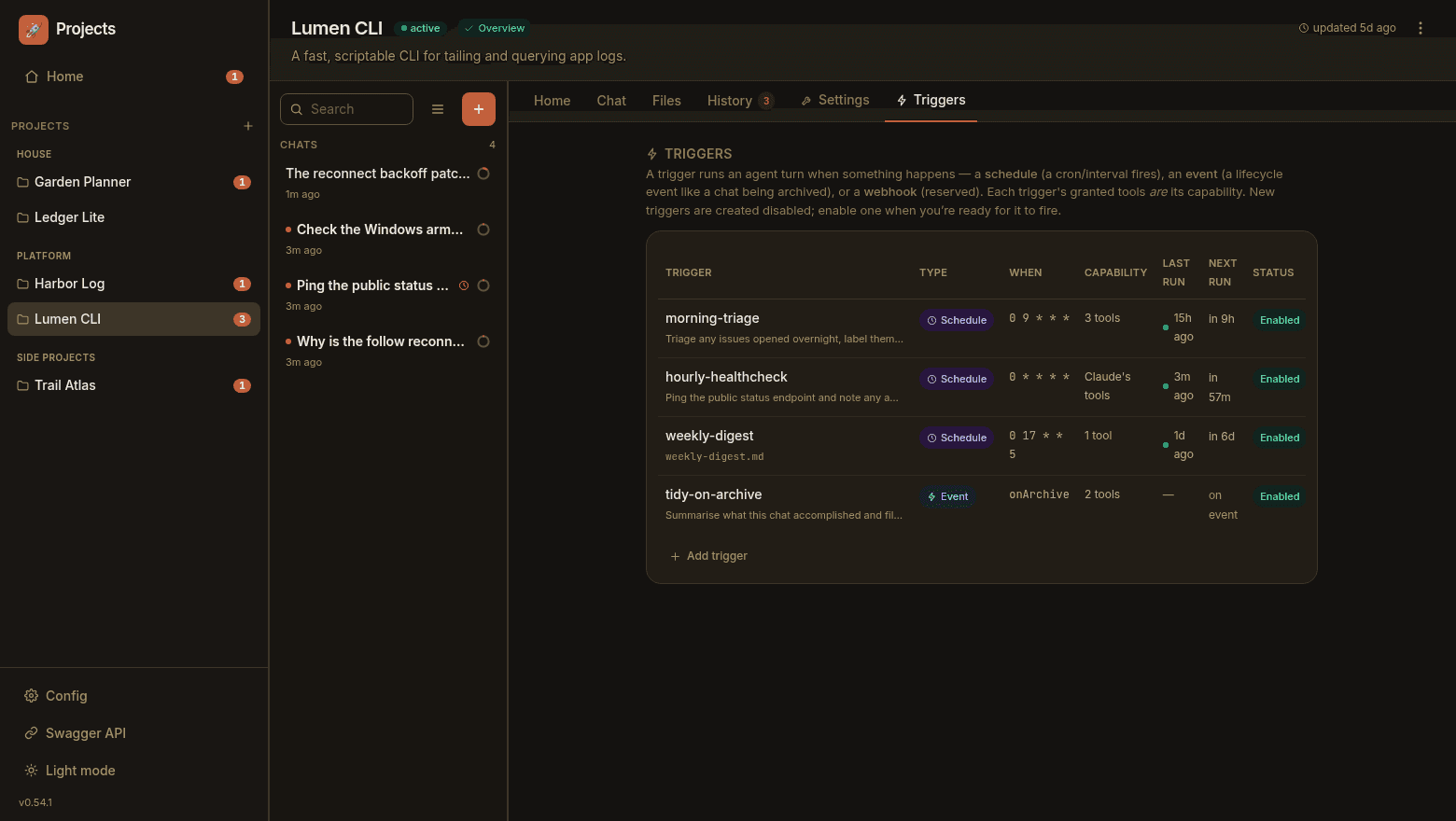
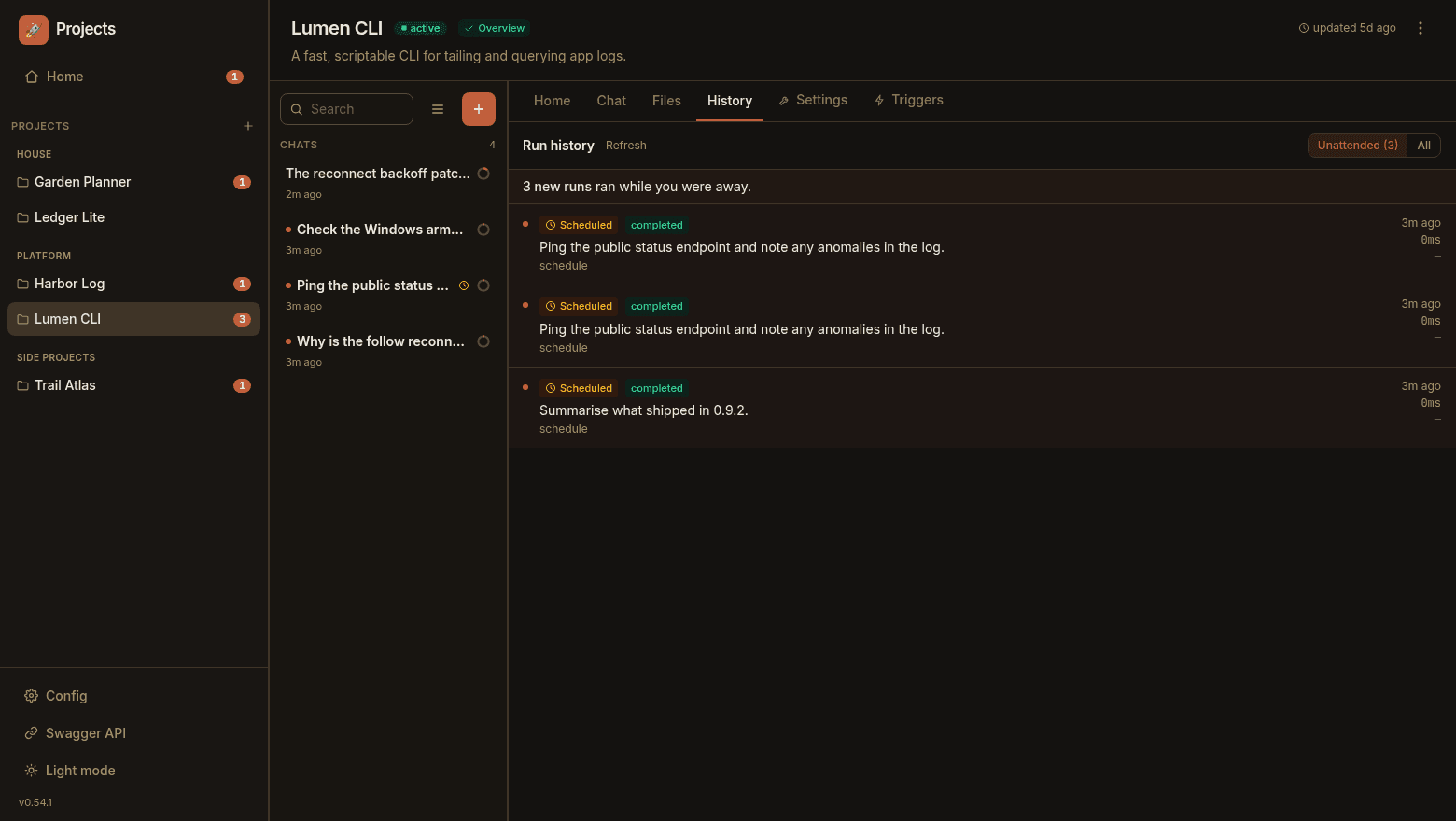
Cron or interval triggers start a chat on their own — morning triage, hourly health checks, a weekly digest. Live and re-attachable.
Fire an agent turn when a lifecycle event happens — like a chat being archived. Each hook's granted tools are its capability.
A build, deploy, or backgrounded sub-agent keeps running after the turn that started it ends — and wakes Claude with its result when it lands.
If a background task is killed at a turn boundary, Paddock surfaces it and offers a one-click Continue — or re-drives Claude automatically.
Drive Paddock from outside
An instance isn't only an app you visit — it's a service your other tools talk to. Paddock serves its management operations as MCP over streamable HTTP at /mcp, so Claude Code on your laptop, a CI job, or a peer Paddock can list projects, read chats, and — with the scope for it — start turns.
Bash; granting one is effectively remote code execution, so you opt in explicitlyauth.mode, so the endpoint stays credential-gated even on an open instance/mcp 404s until clients and a public URL are configured; a bad credential gets a 401, never a login redirect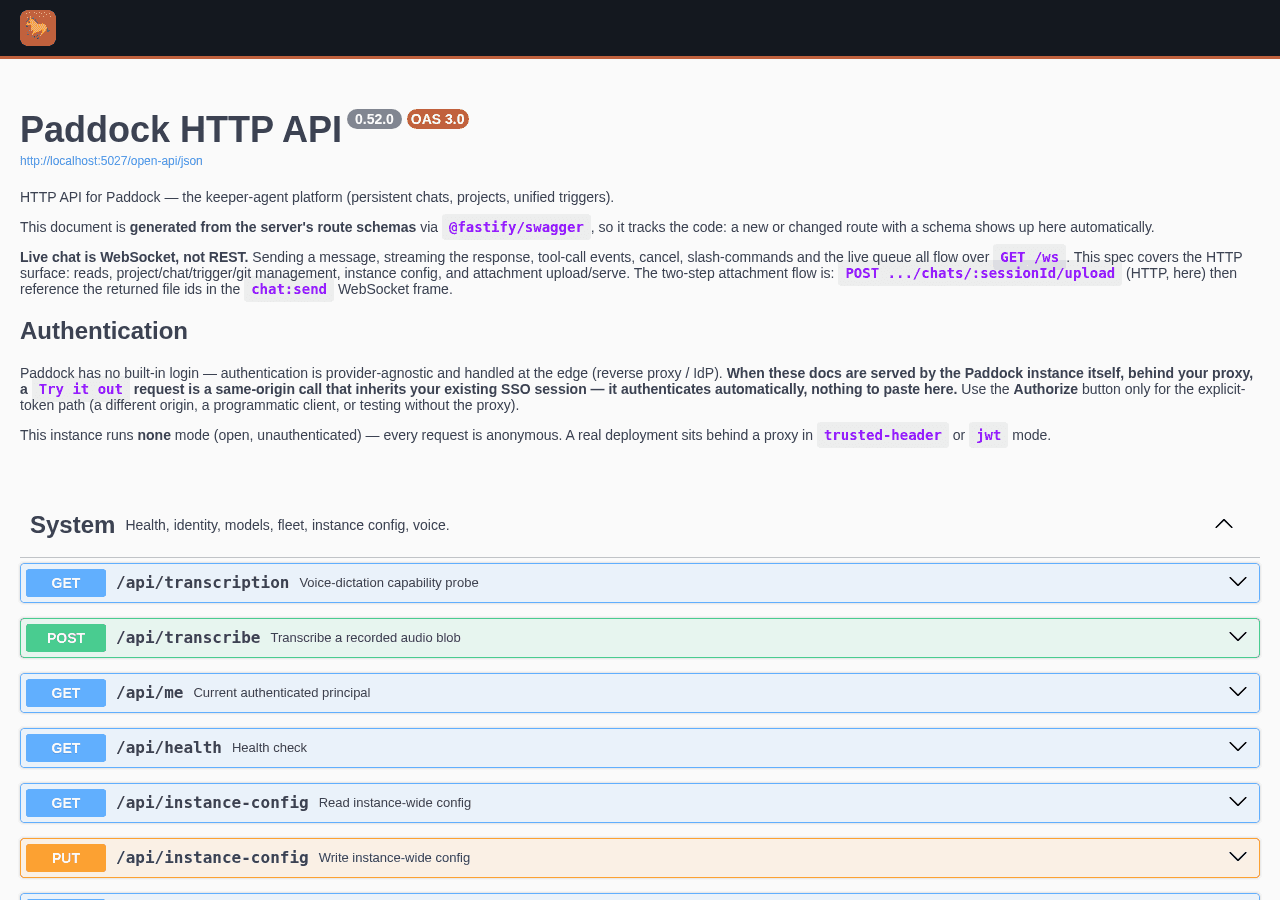
How Paddock works
Paddock is a thin project layer over the public @herdctl/core FleetManager. It wires projects, chats, and a git backing store on top — anything the herdctl engine can do, Paddock can wire in.
Notebook or repo-backed
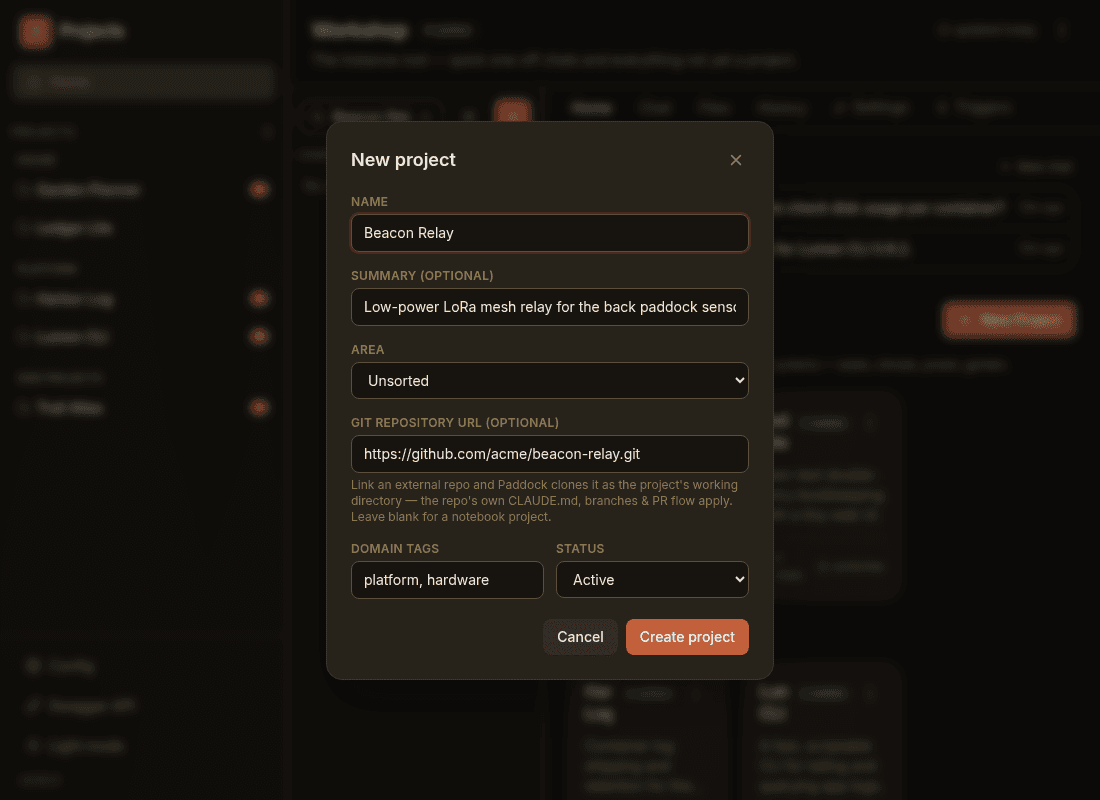
Start a lightweight notebook for planning and notes, or clone an external git repo as Claude's working directory — its own CLAUDE.md, branches, and PR flow apply. A notebook can be promoted to repo-backed in place, keeping every one of its chats and notes.
Nothing has to start as a project. The instance root is a workspace too, so a passing thought gets a chat without any ceremony — and when one turns out to matter, promote it and it becomes a project of its own, transcript and all. A CLAUDE.md at the root sits above every project on Claude's walk-up path, which makes it a genuinely useful place to put the things you'd otherwise repeat in every repo.
A directory in your data repo for planning, notes, and light work. The fastest way to put Claude on a new idea.
An external repo cloned as Claude's working directory, so the repo's own conventions, branches, and PR flow apply. The natural unit for real engineering.
Reachable from anywhere
Paddock is one process you host once and reach from any browser. Sessions live on the server, so they survive reloads, reconnects, and switching devices — start something at your desk, check on it from your phone.
CLAUDE_CODE_OAUTH_TOKEN and Paddock uses your Claude subscription*; hand it an API key instead if you'd rather pay per token:devbox with the coding-agent toolbox (preview servers, ffmpeg, headless Playwright, Docker CLI, kubectl)# :latest = lean base · :devbox = full toolbox
services:
paddock:
image: ghcr.io/edspencer/paddock:devbox
ports: ["4000:4000"]
environment:
CLAUDE_CODE_OAUTH_TOKEN: ${CLAUDE_CODE_OAUTH_TOKEN}
PADDOCK_DATA_DIR: /data
volumes: [paddock-data:/data]This is what the spare box is for
Paddock wants to live on something that's always on and sips power — the mini PC under the desk, a Proxmox node, the k3s cluster you built to learn Kubernetes and then never quite filled. It's one process and one volume, so it fits anywhere you already run things. Pick whichever of these is closest to what you've already got.
One container, one named volume, a reverse proxy in front for TLS and auth. Compose file included. If you're not sure which of these you want, it's this one.
Deploying guideAn unprivileged Debian container that boots with the node — cheap, isolated, always on. Two paths: Docker inside the LXC, or a tarball and systemd managed with Tofu and Ansible.
Proxmox guideOne replica, one persistent volume, auth at the edge. Plain manifests assembled with Kustomize — no Helm chart to learn.
Kubernetes guideMine runs on a five-year-old mini PC drawing 8 watts, behind SSO, managed as code — if you want the whole setup rather than the quick version, that's written up too.
Easy forking of chats
You get deep into a chat and realise it needs to become three: write the tests, update the docs, build the thing. Hover any message and fork from exactly there — a new chat carrying the transcript up to that point, the original untouched. Or rewind to there instead, in the same chat, and carry on as though the last few turns never happened.
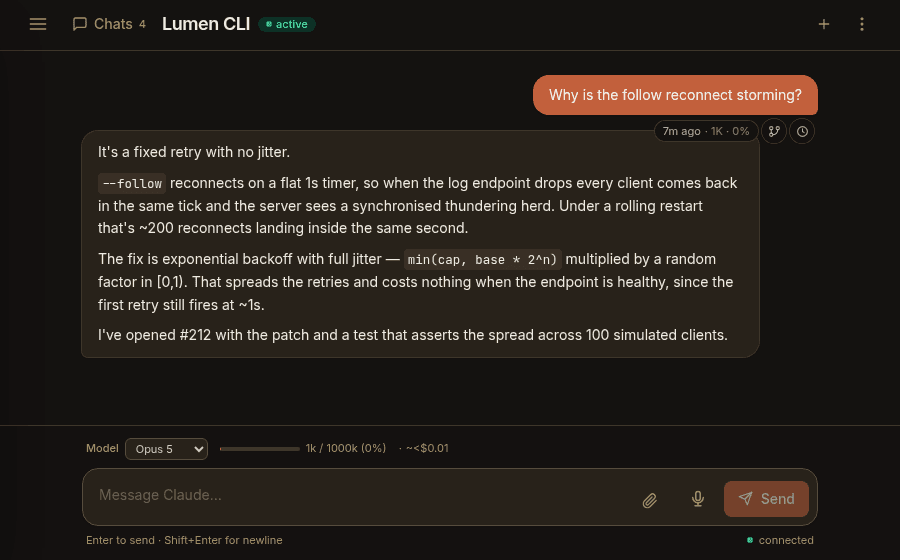
Hover a message and a rail appears, telling you how old it is and how full the context window was right there. Branch from that point and the new chat gets its own id; the original is untouched.

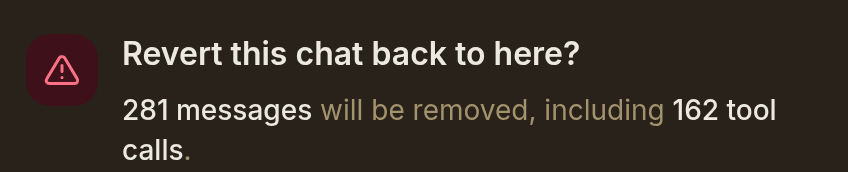
Same chat, same URL, transcript truncated back to the message you chose and the discarded tail quietly backed up. Paddock counts what you're about to lose, and is honest that it can't unwrite the files.
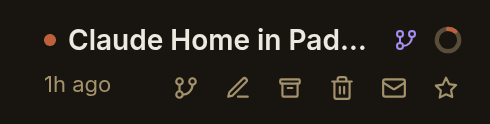
Every chat row carries the same handful of actions: fork, rename, archive, delete, mark unread, star. Starring floats it to the top; unread is a per-user flag, because “I haven't dealt with this yet” is personal.
Claude can open its own tabs
Turn it on and Claude gets tools for driving Paddock itself: list the projects, read another chat, start new ones, fork this one, message a parent back when it's finished. So instead of splitting that three-way conversation by hand, you can just say go do all three — and it opens three chats.
The good bit is what a spawned chat is. A sub-agent works out of sight and hands back a summary. A chat Claude opens is an ordinary chat: it shows up in the sidebar under its parent, streams live while you watch, has a Stop button that works, and you can reply to it. It can even start a chat in a different project — which is how a conversation about Paddock kicks off work in herdctl, and how either of them gets a blog post written over here.
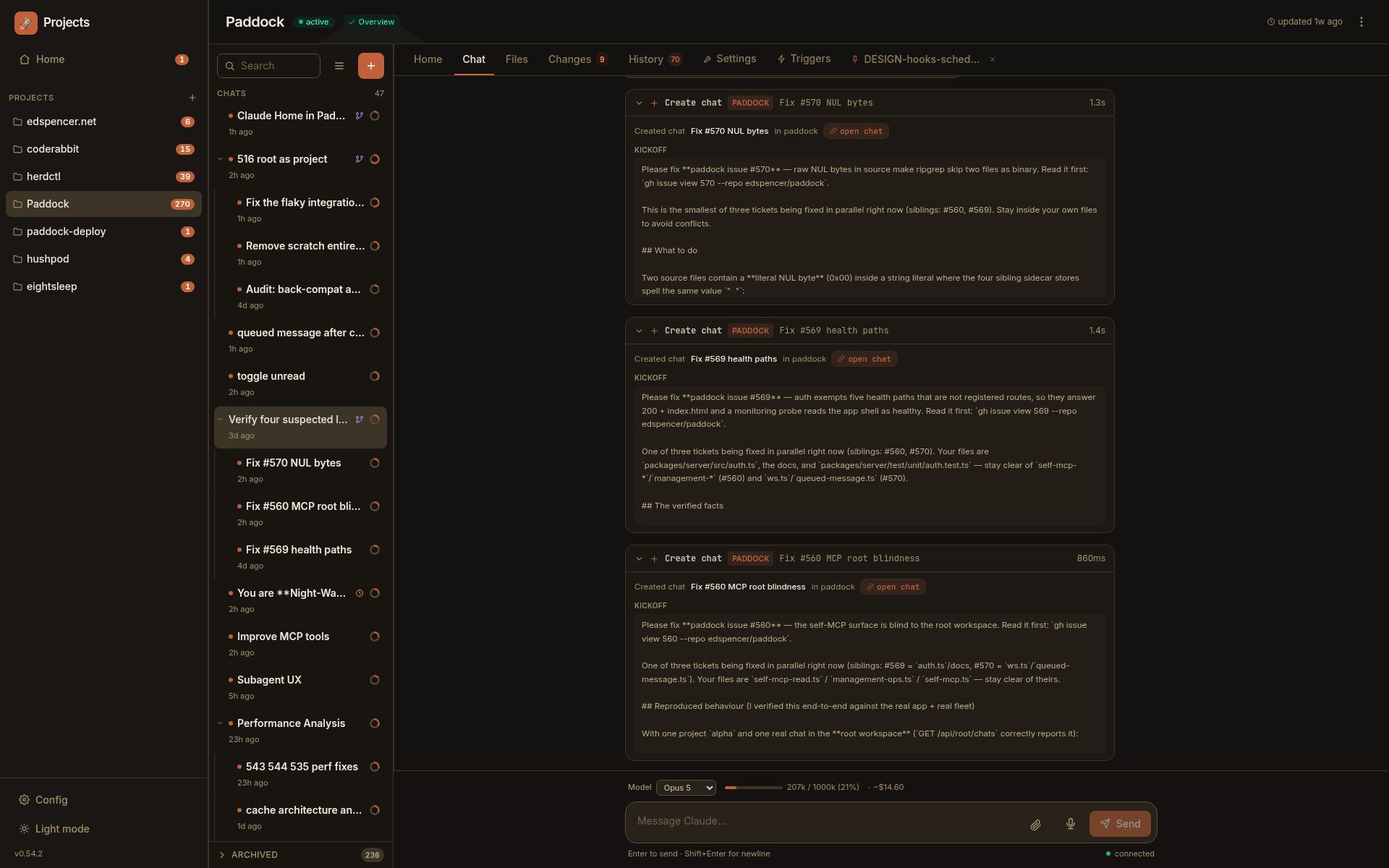
One chat finds three bugs and opens a chat for each — you can watch it happen
A plain instance never advertises these tools at all. Reading projects and chats is one switch; letting Claude start or fork them is a second; letting it create whole projects is a third.
Spawned chats can go one level deep by default — a manager can hire workers, and its workers can report back, but they can't go hiring workers of their own until you raise the limit.
A chat spawned or forked from another sits underneath its parent, indented, with a twisty to fold the whole family away — and shift-click to archive or delete a subtree at once.
Files & Changes
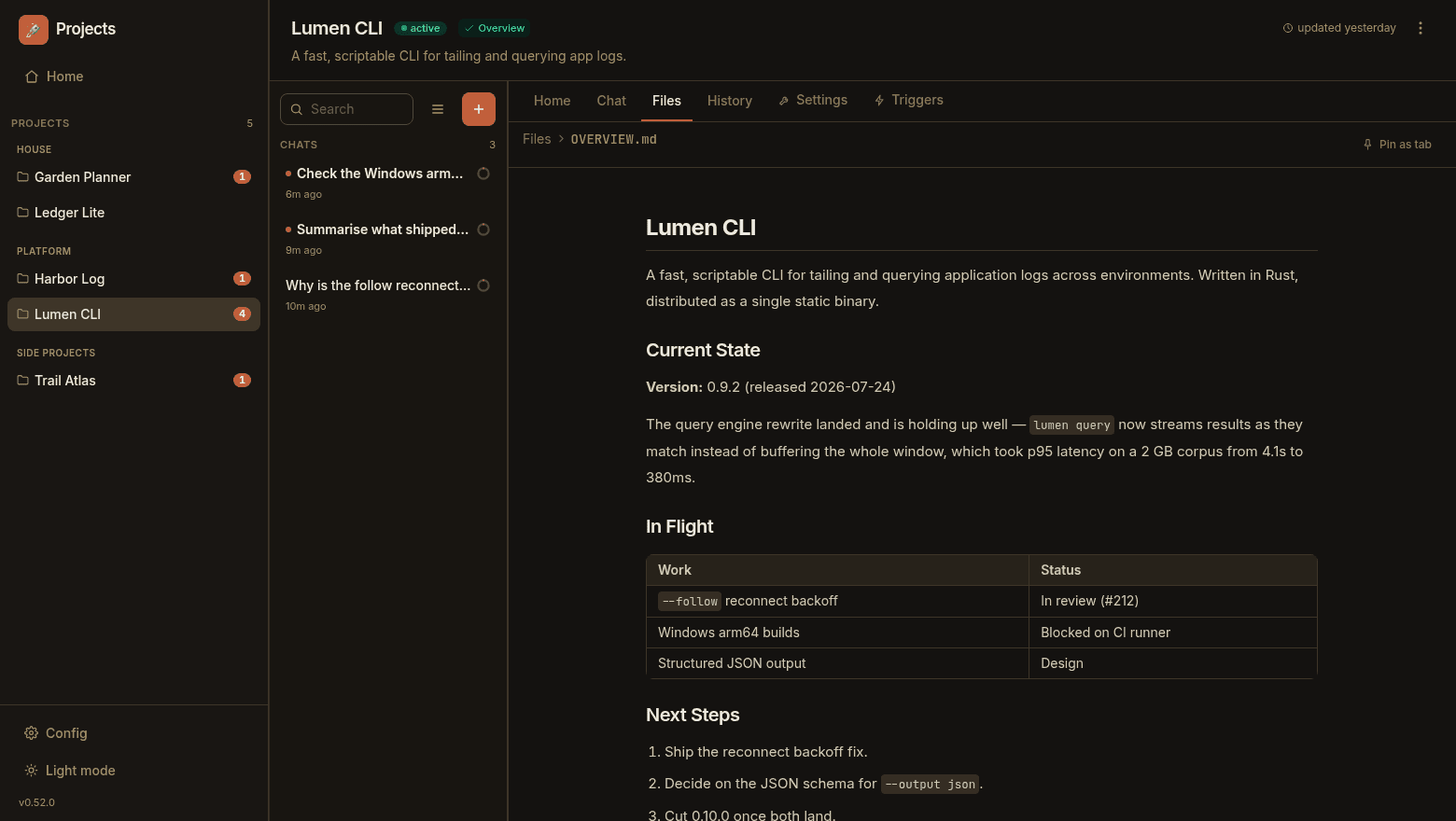
Browse the project's files rendered inline, and review the agent's work as git diffs — right next to the conversation that produced it. Durable results you can actually inspect.
Files go both ways
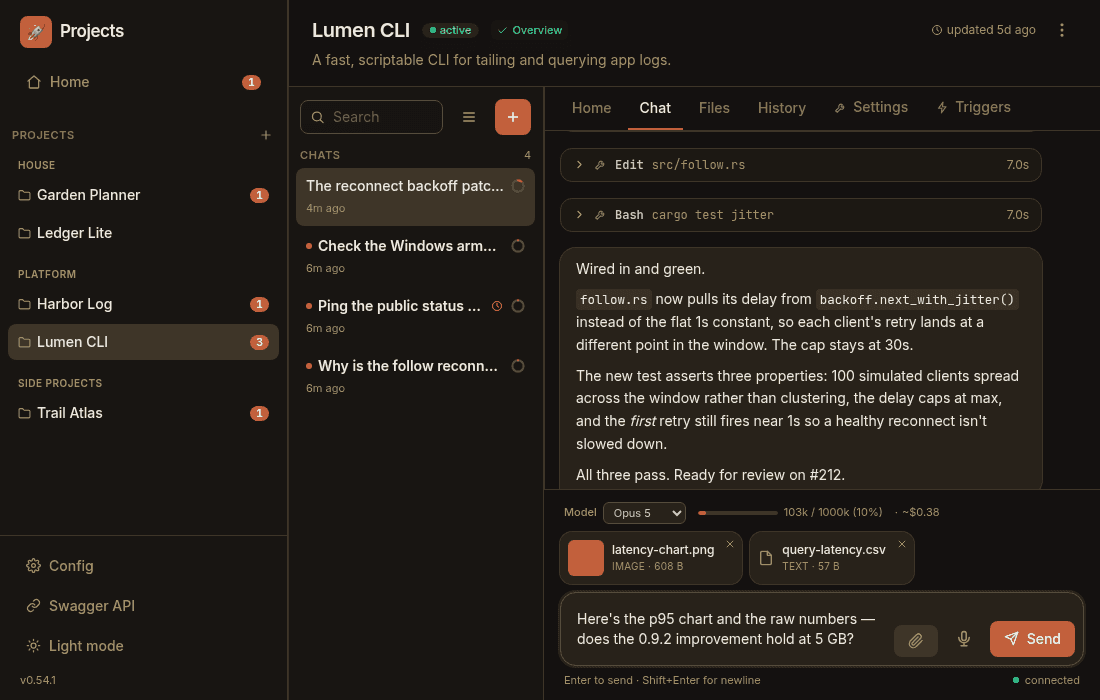
Attach files and images to a message — pick them with the paperclip, drag & drop onto the composer, or paste a screenshot straight in. Claude reads them directly, with native vision on images and PDFs.
And it can hand you one back. Claude gets a send_file tool, and whatever it sends renders properly in the chat: images inline with a lightbox, PDFs in a real viewer, video with a player, Markdown as prose with its Mermaid diagrams drawn, code syntax-highlighted. The file is snapshotted as it's sent, so it still renders later even if the original moved on.
Tune it without touching a terminal
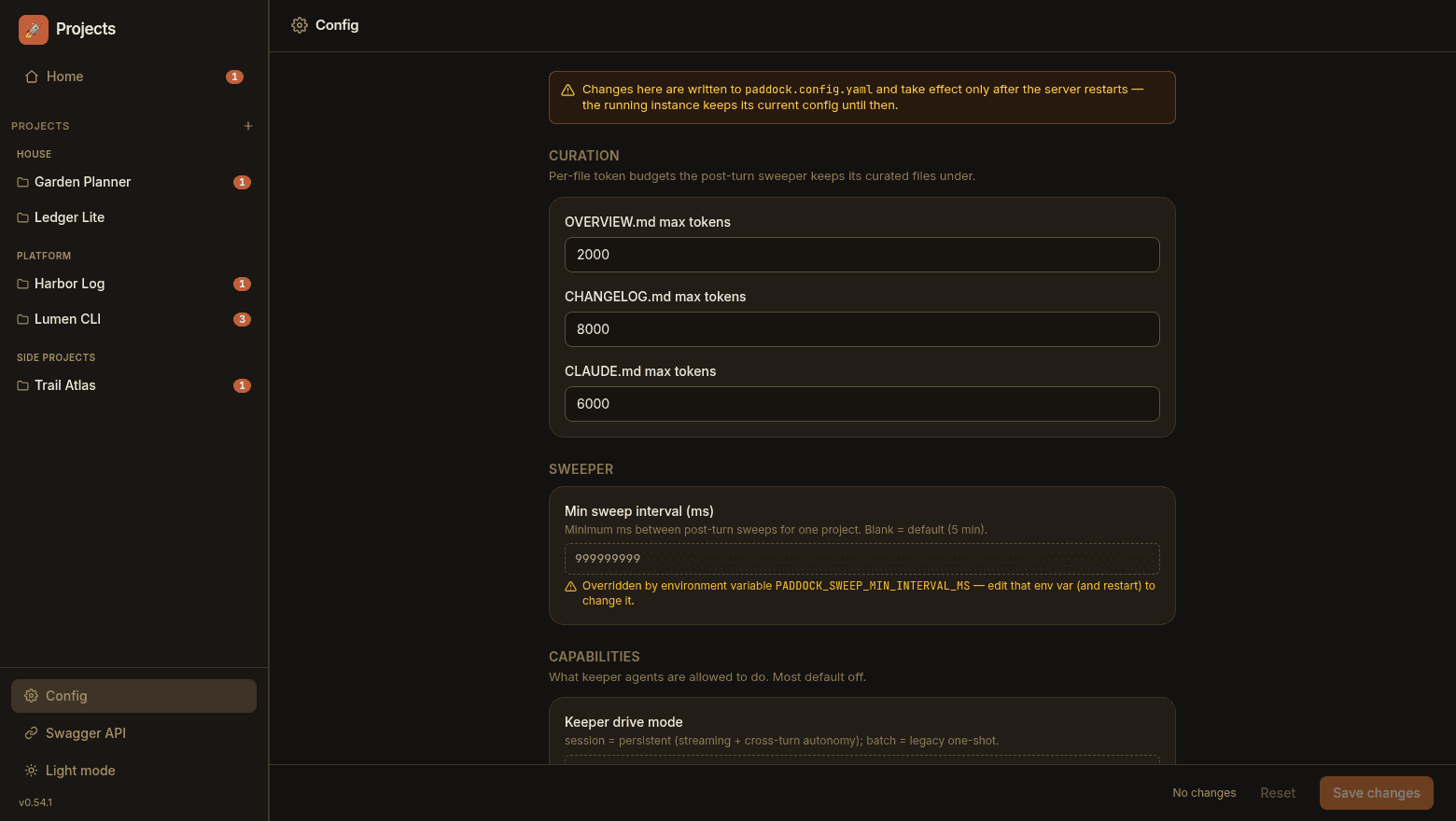
Two screens, named for the files they write. Config edits your instance-wide paddock.config.yaml — curation budgets, capability gates, auth, attachments — and tells you plainly that a restart applies it. A field already pinned by an environment variable renders read-only, so the precedence is never a surprise. Settings is per-workspace and hot-applies on save.
Key Features
Every chat is a real Claude Code session, hosted on the server. Reload the page, drop your connection, switch to your phone — the conversation is right where you left it.
Use projects to file chats under a directory — or don't, and keep everything in one list. Chats started in a project run with its directory as their working directory, so a repo's CLAUDE.md and skills just apply.
File writes, shell commands, and subagents render token-by-token as they run — with a live context-window meter and estimated API cost per chat.
Browse rendered project files — Markdown, Mermaid, code, PDF, video — and review the agent's work as git diffs, right beside the chat that produced it.
Give a project cron or interval schedules and it starts chats on its own — morning triage, hourly checks, weekly digests. Each scheduled run is a live, re-attachable chat.
# A schedule trigger
morning-triage
  Schedule · 0 9 * * *
3 tools · EnabledRun an agent turn automatically when a lifecycle event fires — like a chat being archived. A hook's granted tools are its capability; new hooks start disabled until you arm them.
When a background task is killed at a turn boundary and leaves Claude idle, Paddock surfaces it with a one-click Continue — or, optionally, re-drives Claude automatically.
Point it at your Claude subscription with an OAuth token* — much cheaper than metered API calls — or give it an API key if you'd rather pay per token. Either credential works throughout.
# Your Claude Max subscription
CLAUDE_CODE_OAUTH_TOKEN=…

# Or per-token API billing
ANTHROPIC_API_KEY=…Mic-to-text dictation in the composer — usable even while Claude is still replying — and / autocomplete to discover and run the agent's skills.
A 1M-token context window at Opus 4.8 pricing. Opus 4.8, Fable 5, Sonnet 5 and Haiku 4.5 stay selectable — and an instance can offer an allow-list if you'd rather narrow the choice.
An instance-wide Config screen edits paddock.config.yaml from the UI, with a restart-to-apply banner and read-only fields where an env var already pins the value. Per-project Settings hot-apply on save.
Opt in and Claude can list projects, read chats, and start or fork chats — in this project or another — to fan work across parallel sessions. Each one is a real chat you can watch and reply to. Depth-limited so nothing runs away.
The same launchpad, in your pocket
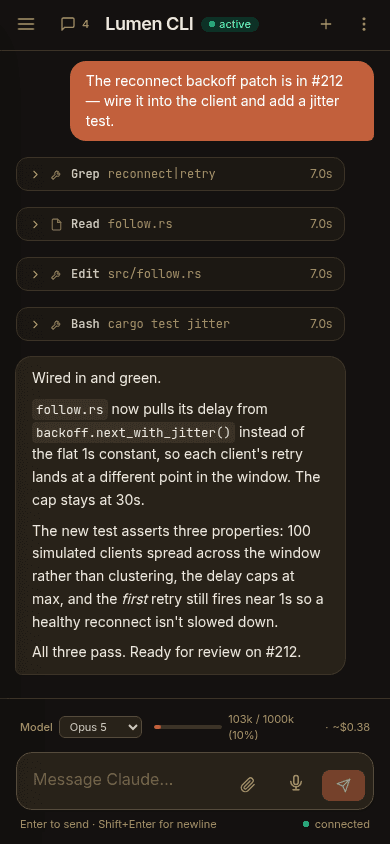
The whole UI is responsive. Kick off a long-running task at your desk, then check on Claude — read its streaming output, send a follow-up, review the diff — from your phone on the couch. Because sessions live on the server, nothing is lost when you switch devices.
What do you run in Paddock?
Anything you'd point Claude Code at — but hosted, organized, and reachable from anywhere. Paddock is dogfooded on its own dev stack: Paddock, herdctl, and Warren all live here as projects that build one another.
Give each codebase a repo-backed project and its chats run inside the checkout — the repo's CLAUDE.md, branches, and PR flow all apply. Do real engineering from a browser.
Spin up a notebook project for a new idea — notes, research, and light work — before it ever becomes a repo. Promote it to repo-backed in place once it grows up, keeping its history.
Point a schedule trigger at a repo: triage issues opened overnight, ping a status endpoint hourly, or post a weekly digest — each an unattended run waiting in the History tab.
Claude spawns children to parallelize work; each reports back with send_message when it's done. Bounded by maxSpawnDepth so nothing runs away.
Paddock runs on herdctl; Warren reviews their PRs. All three are projects inside Paddock, building one another — the ultimate dogfood.
Self-host it behind auth you trust, on your Claude Max plan. No SaaS, no per-seat pricing — one process, one data volume, your tokens.
Point Claude Code on your laptop, a CI job, or a peer Paddock at the /mcp endpoint — read projects and chats from outside, and with an explicit write scope, start turns.
I was chained to my laptop
If the lid was shut, nothing was happening. If I was in another room — or out of the house — there was no way to pick up a thread from a second device. And every reboot cost me an hour of rebuilding state that only existed in a terminal.
So I moved Claude Code onto a box that never sleeps. Mine is a five-year-old mini PC that cost about $300, runs Proxmox, and draws 8 watts at idle. It's on all the time, and I reach it from my laptop or my phone — I now kick off a surprising amount of work from my phone.
One instance became several: a dev box for my repos, notebook instances for house projects, one for my wife. Restarting the machine I'm browsing from costs nothing now, because none of the state lives there.
Paddock is built on herdctl
herdctl is the open-source engine underneath Paddock — autonomous agent fleet management for Claude Code: scheduled agents, chat connectors, Docker isolation, and resumable sessions. Paddock is the project-first web launchpad that sits on top of it. If you want the raw engine, start with herdctl. If you want a hosted UI to run and organize your agents, that's Paddock.
Meet Local Review
A Paddock full of agents produces a lot of commits. Local Review is the other end of that: a GitHub-style pull-request UI for the stack of commits already on your machine, where every commit is its own PR and the agent answers your review comments in place — before any of it reaches GitHub. Separate tool, no dependency on Paddock; it just happens to be how I read what comes out of one.
Building Paddock in public
Follow along as I build and evolve Paddock. Technical deep-dives, design decisions, and lessons learned.
Paddock now runs on your own machine with one command, opens on the Claude Code history you already have, and tells you exactly which parts of your ~/.claude it is and isn't touching.
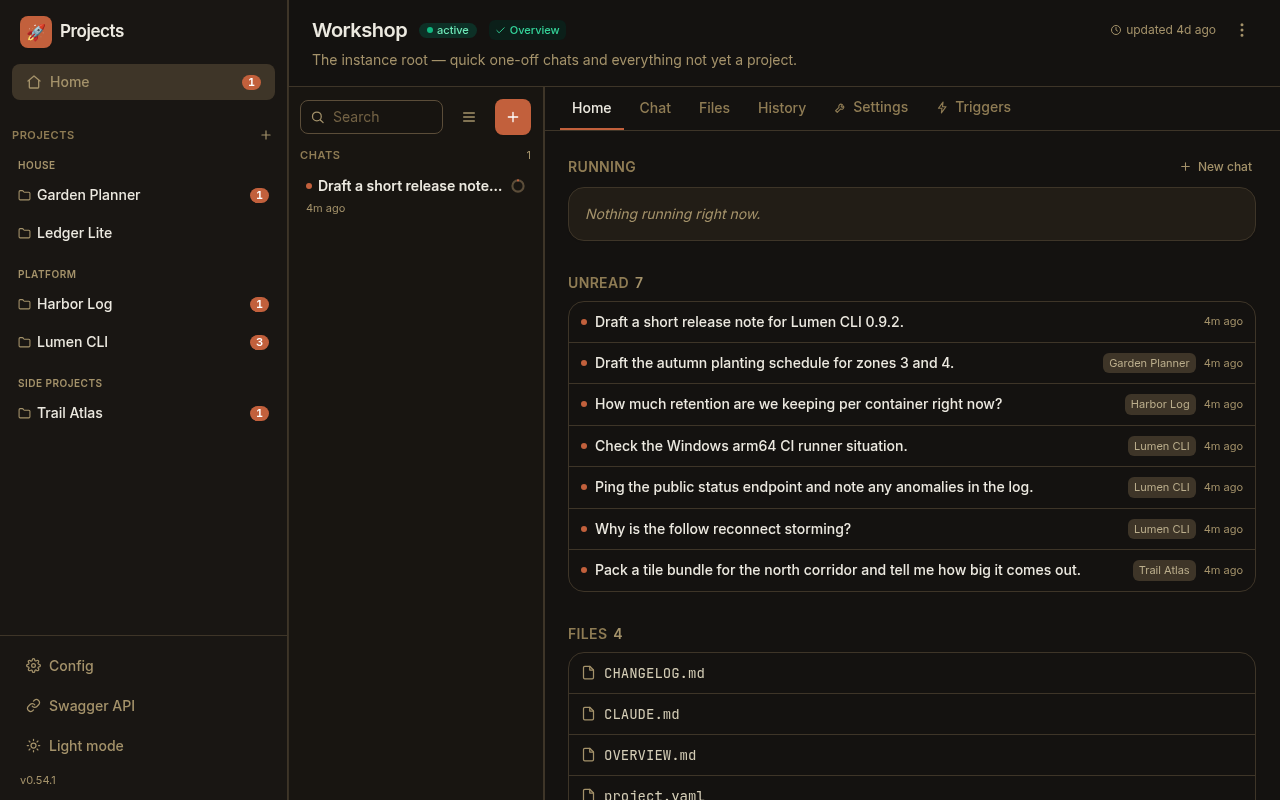
Paddock is a thin wrapper around Claude Code that runs it on a server and gives it a web UI — persistent, resumable chats you can reach from any laptop or phone, with forking, sub-agents, file sending and schedules on top. Here's why I built it and how it works.
One Docker command. Open source, self-hosted, your tokens. No SaaS, no per-seat pricing.
* The Claude Agents SDK does not officially support using your Claude Max account, but as of the time of writing it was nevertheless possible to set a CLAUDE_CODE_OAUTH_TOKEN environment variable and have Paddock run on your Max account. Long may it last.