Continuous Security Auditing with herdctl
One of the most valuable unlocks with herdctl for me has been having a bunch of agentic things that just happen every day, without me having to intervene. herdctl itself already uses the following agents that run on a daily schedule:
- changelog - updates the docs changelog page if anything worthy happened that didn't make it there already
- docs - scans to see if any commits should have had docs updates but didn't, makes PRs if so
- security - daily schedule scans the repo every day for new security issues
There are others that I want to set up, like a twitter bot that advertises new features just dropped, docs updates, etc, but today I'll focus more on the third agent above - the security agent.
Daily Security Scans
The Daily Security Scan agent was the first one I set up - a couple of weeks ago now. I gave it a remit that looks a bit like this:
- Develop and maintain a model of the codebase
- Track which areas of the code are most vulnerable
- Track ongoing potential security vulnerabilities
- Run a daily scan to re-check everything
- Alert me if anything looks suspicious
Ok, but why do this daily at all? If we can do all this in an automated way, why not do it on every commit? Two main reasons:
- cost - the last run went for 37 minutes, which is a lot of tokens
- lead time - the last run went for 37 minutes... CI currently takes about 1 minute
Of course, you can run the security scan agent as often as you like, and every time you merge code, it should be after a security-minded review has been done. But there is value in running them periodically, in addition to at merge-time. First, it's possible for multiple PRs to combine to create a security problem that no single one of them did by itself and might not otherwise be detected.
Make Switches Quiet Again
I recently upgraded to 2.5 gigabit managed switches for my home network. That's mostly been a straightforward process - I was swapping a TP-Link TL-SG2016P for a TP-Link SG3218XP-M2: both switches have 16 ports (8 ports POE+), but the SG3218XP-M2 swaps out the 1 gigabit ports for 2.5 gigabit ports, and adds 2x 10 gigabit SFP ports for fiber connections.
As I have a disturbingly large home network, I bought 3 of these switches so that I could plug everything into a 2.5g port and use the 10g ports for interconnects between the switches themselves. Each switch is in a different cupboard/closet in the house, with one of them being in the home theater closet and another in the bedroom closet. If they're noisy, they're annoying.
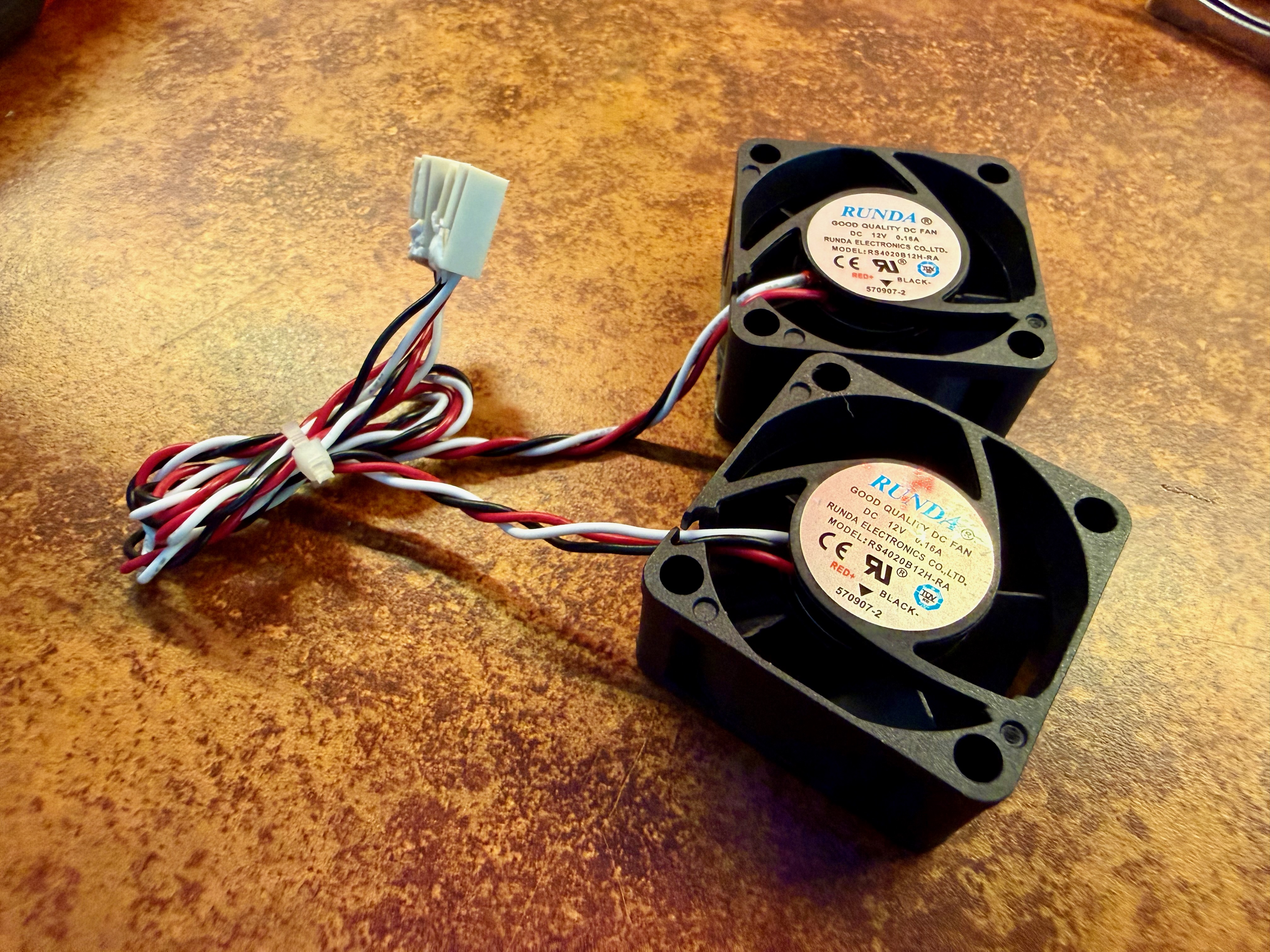
And noisy they are. It's my first time owning switches that make noise that can be heard from more than a few feet away. The noise all comes from a couple of tiny 40mm fans. When the switch powers up, they run at full throttle, which I measured at about 50db. After a minute or so it calms down to about 40db, but that's still actually quite annoying, and far louder than anything else in the rack
Swapping the fan is easy
Thankfully it's pretty easy to solve this. Noctua make these lovely silent 40mm fans that are perfect for the job. They're a straight swap and the process is straightforward. I used these tools:
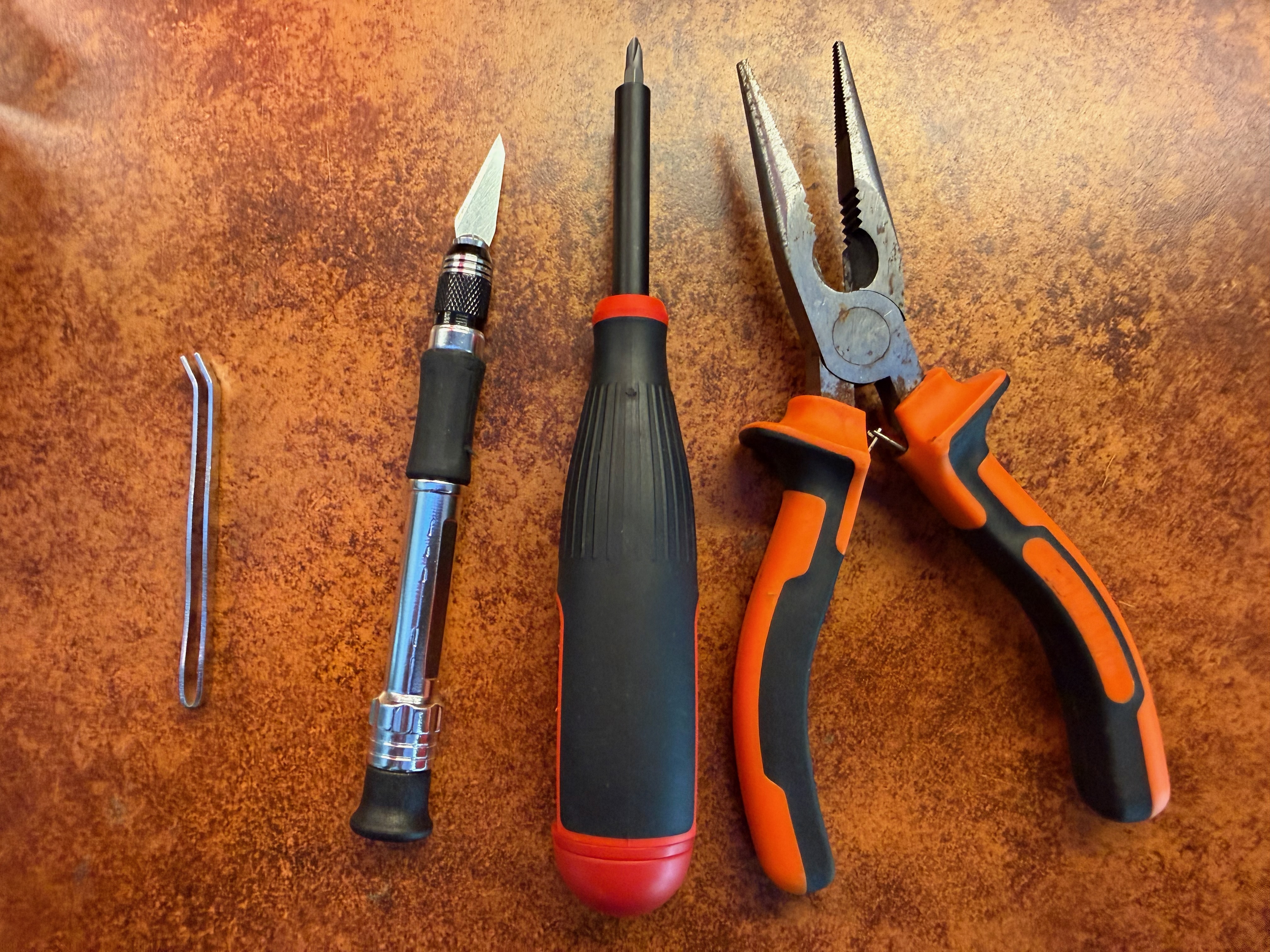
You don't need to use these exact tools but here are links to the ones I have. The hobby knife set is a bit of a steal at < $10, and the set came with the little tweezers pictured above, which were useful when putting the washers back on the machine screws:
- Basic pliers ($9)
- Cheap hobby knife ($9)
- Megapro precision screwdriver ($38)
Run Claude Code Agents in Docker with herdctl
herdctl can now run Claude Code Agents in Docker containers, significantly expanding your options for running powerful local agents that do not have full access to your system - whether you're running agents on your laptop, in the cloud or both.
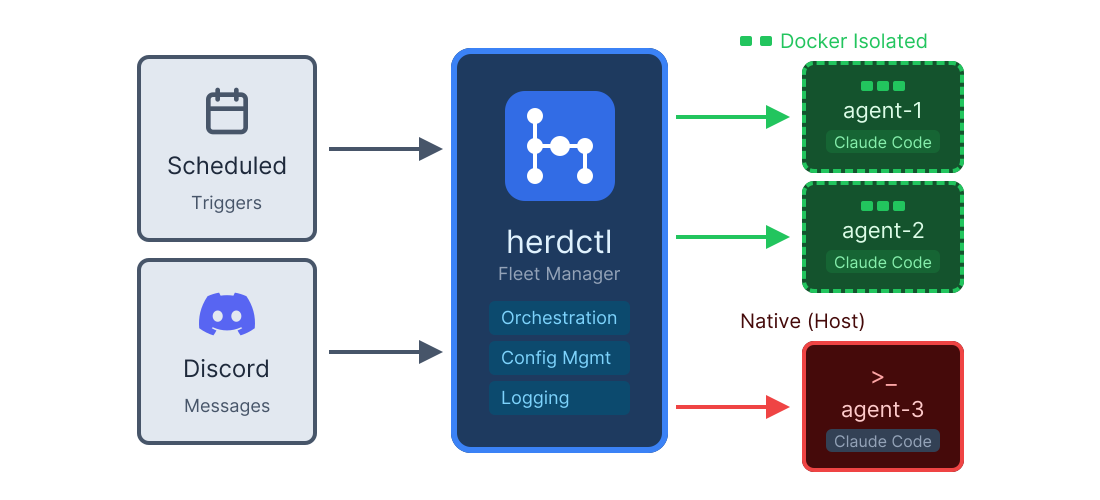
Enabling docker mode is really easy:
A full agent definition now looks something like this:
The above is a snippet of an actual "Subject Matter Expert" agent that I run - in this case it helps me with gardening. This agent is actually open-source - it's highly specific to my specific situation, but it should illustrate how this simple pattern works. We'll come back to that repo in a moment.