Herdctl Gains Slack and Web Connectors
herdctl now supports Slack and web connectors, enabling AI agents to interact with these platforms. The web connector gives your a
I justed added support for Composable Fleets to herdctl. As I build herdctl into more projects, I increasingly find myself creating a fleet of agents per project, and wanted a way to run them all and see what's going on with them.
Fleet Composability means you can create hierarchical fleets of related agents, like this:
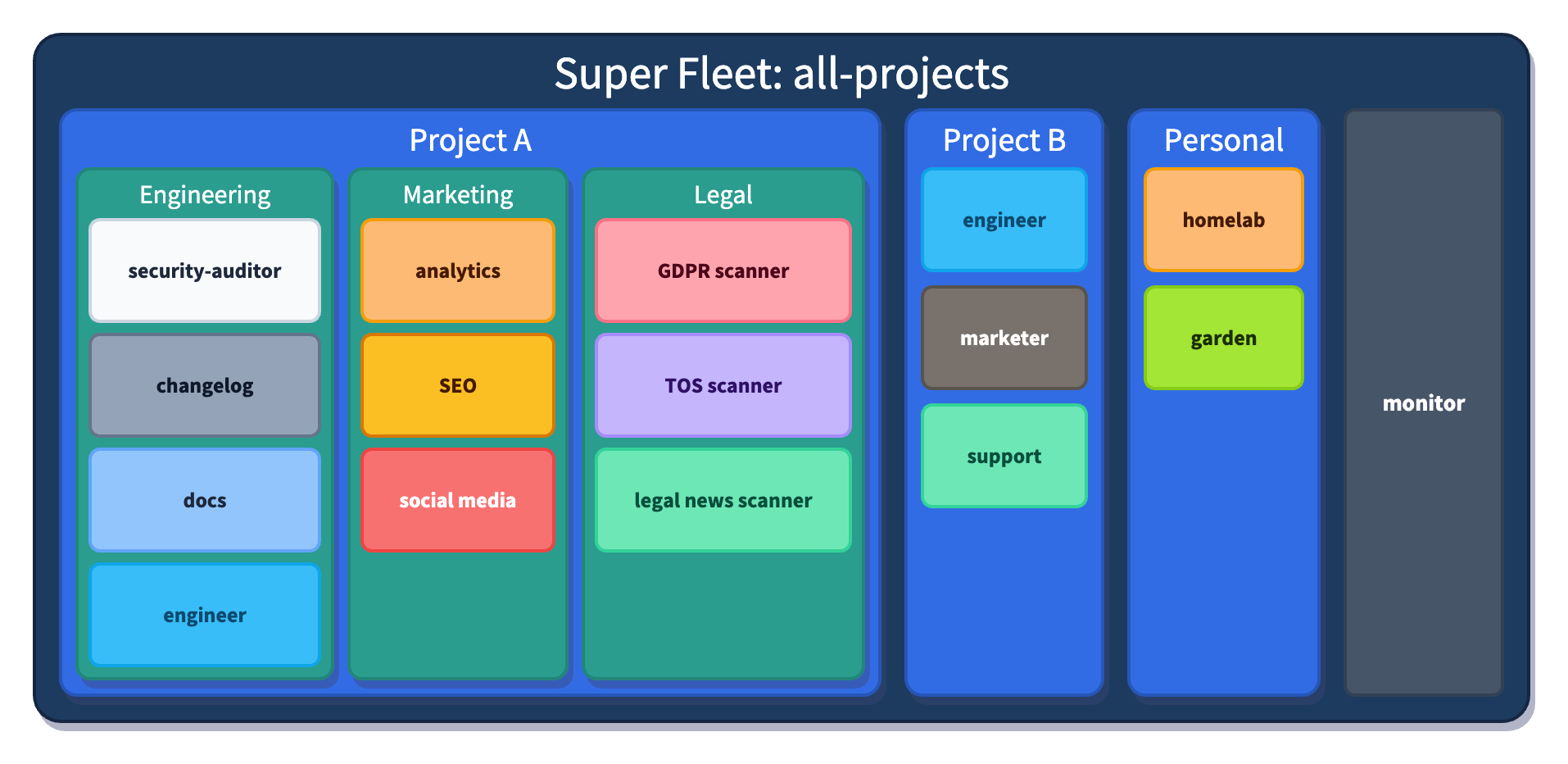
Fleet Composability means you can create a hierarchy of teams of agents, each with its own defined responsibilities and scratch directory that it can use to store state and artifacts. herdctl already has 4 of those agents so far, so I keep them a single fleet, but as herdctl itself is only one of the projects that I'm working on, I actually run a superfleet of all of them.
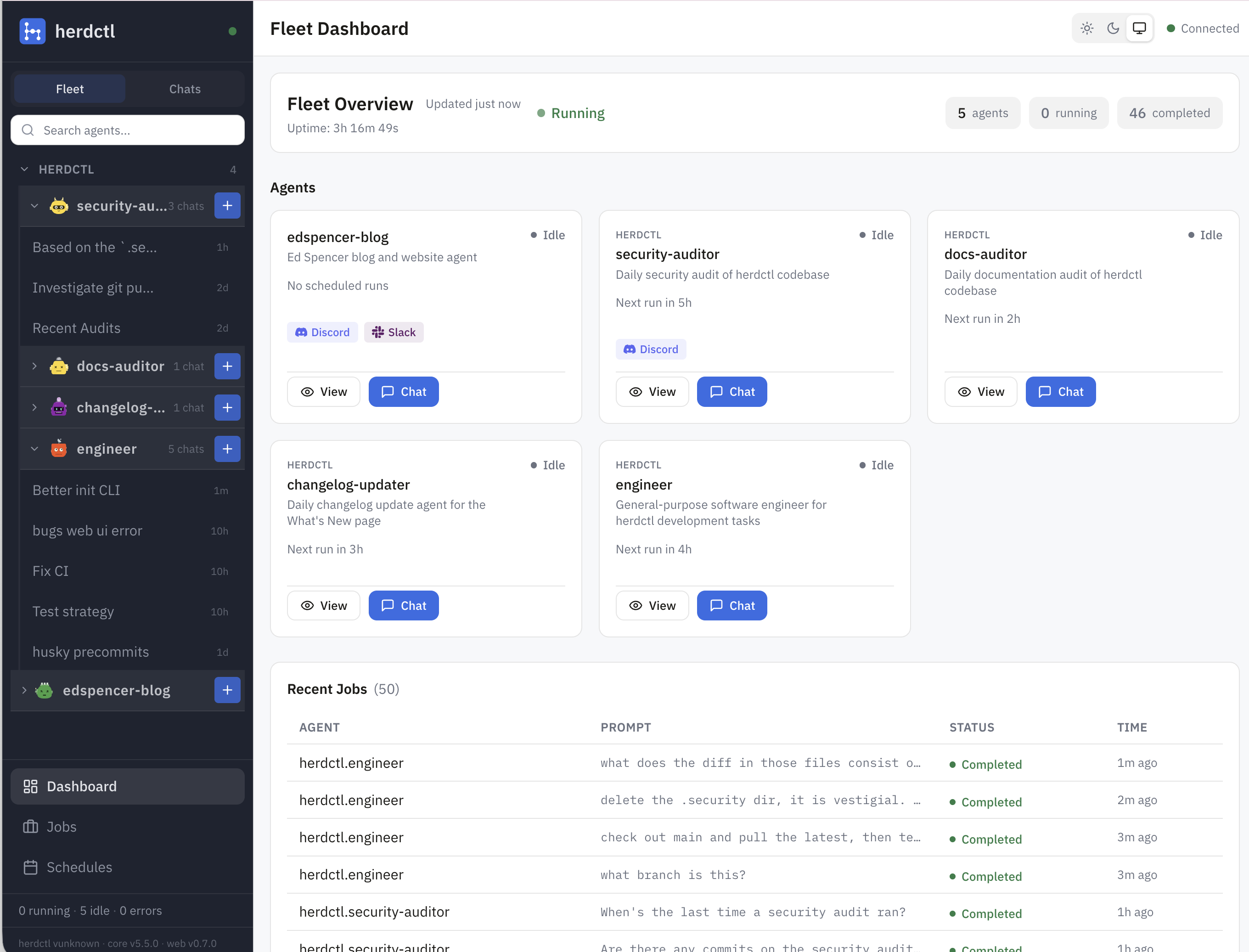
The web UI knows about fleet composability and renders my fleets like this:
For the herdctl project itself, I'm currently running 4 agents, in a single fleet for now:
The first 3 of those are all "background" agents that run on a schedule and just continually fix things that can otherwise drift over time unless a human pays attention to them. I suspect I'll end up with a bunch more agents following the same pattern. Each agent gets its own agents/myAgent directory with its own configuration and prompts. It's Claude Code so it can do whatever you want it to really.
herdctl doesn't impose much structure on you. You don't have to use an agents subdirectory at all, you can put things wherever you like. But the agents subdirectory is a where I'd recommend you place them, as a couple of upcoming convenience features will work a little better if you do.
But I'm also developing other projects while I work on herdctl, and I have a set of personal agents that help me with my house-related projects like the homelab and the garden. Fleet Composition lets me group that second set of agents together into a "personal" fleet, and then run them plus all the other projects' agents in one command.
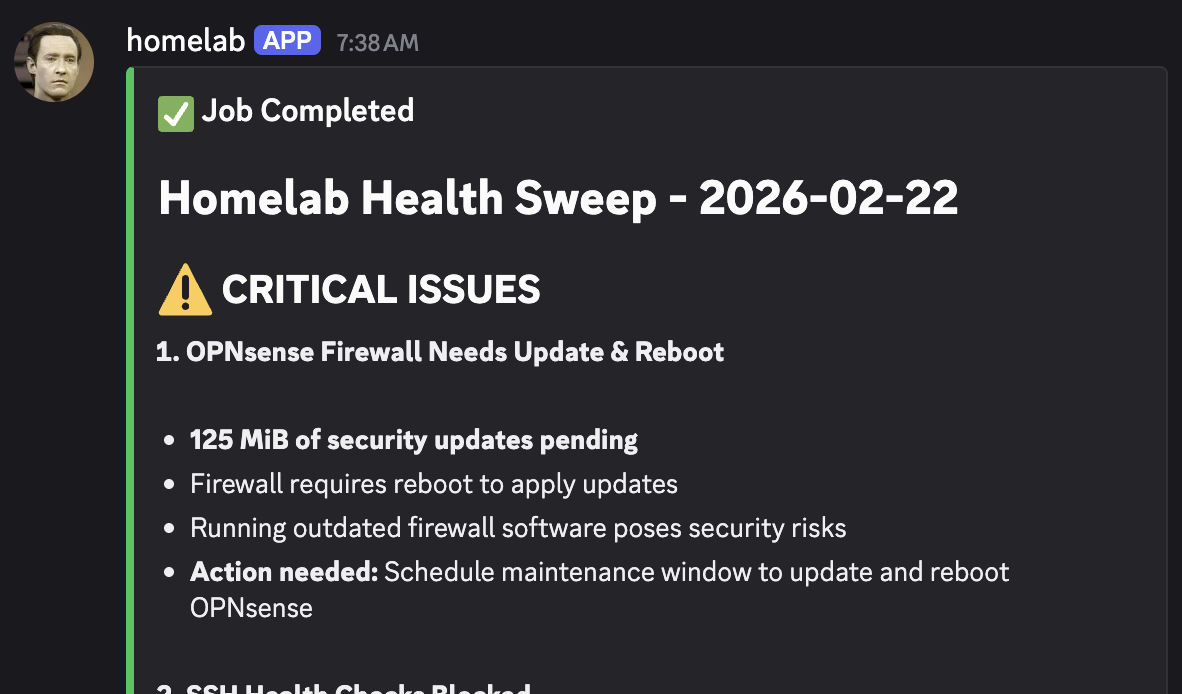
I write a bit more about how the homelab agent does its work in this post about continuous security with herdctl.
It's pretty easy to see how a large project could start to benefit from having multiple fleets of agents. Marketing-related agents could:
Those are all fairly straightforward things to get Claude Code to do, with a bit of tinkering, and I'm sure you can think of a bunch more too. You can probably also think about a bunch of possible Engineering-related agents you might want, and maybe even some Legal-related agents too:
Most of the above are arguably things that should be owned by Engineering in many organizations, but with Fleet Composability it's entirely possible for a Marketing team to have a set of herdctl agents in a separate repo, and just have them run as part of the wider fleet that Engineering maintains/supports.
With herdctl we can define all of the above with clean, source-controllable YAML files.
A herdctl agent is just a YAML file that is approximately:
Aside from that final 5%, none of that is much to do with what your agent does, it's just a way to configure the agent's permissions, connectors, schedules, etc, mostly just passing that config through to wherever it should go.
Schedules do usually provide a prompt that is given to Claude Code when the schedule is triggered, but you're encouraged to make that prompt very short, just something like "Run the /scan-for-missing-docs-in-recent-commits skill". The herdctl.yaml file is not the right place to put detailed agent instructions - use the existing Claude Code ecosystem for that.
Everything else that your agent does should be in the form of something like .md files. A common emerging pattern is to just instruct your agent to keep a STATE.md file up to date with whatever state it wants to persist between runs. If you provide the agent with a Github access token you can have it commit and push whatever work it does to wherever it makes sense to keep it.
Similarly, although there is a primitive hooks implementation, there's no intention at the moment to add a lot of connectors to that. If you need your agent to send an email as part of its scheduled work, for example, there are ways to make Claude Code do that, so herdctl doesn't aim to provide that plumbing and probably never will.
Find out more about herdctl at herdctl.dev.
herdctl now supports Slack and web connectors, enabling AI agents to interact with these platforms. The web connector gives your a
herdctl is an orchestration layer for Claude Code. It lets your agents run on a schedule, as part of a fleet, and puts them right in your discord or slack channel.
herdctl makes it really easy to run agentic workflows on a schedule. One of the first such workflows I added to herdctl itself was a daily security audit. This has been running for a few weeks now, so I wanted to share some early results.
Every agent in one place — persistent, resumable, and still working when you look away
See how it worksherdctl runs Claude Code agents securely in Docker, with schedules and chat
Learn more
Local Review reviews your agent's stack of commits as PRs, on your machine, before GitHub sees them
→ Read more
Paddock is browser tabs for Claude Code — persistent, resumable sessions, organized by project
→ Read more
herdctl runs Claude Code agents securely in docker, with optional schedules and chat
→ Read more
mdx-prompt lets you write reusable and composable LLM prompts using JSX
→ Read more
bragdoc.ai is an open source Next JS AI SaaS app for tracking your work
→ Read more
react-auto-intl automatically internationalizes and translates React and Next JS apps
→ Read more
NarratorAI creates AI-powered content like intros and search result summaries
→ Read more
InformAI allows AI to access and understand the information in your React components
→ Read more
ReadNext creates AI-powered content recommendations for your blog or other content
→ Read moreI've built things on the web for 20 years, and used JavaScript before it was cool.
I've been working for myself since early 2023, going wherever my heart takes me - mostly playing with AI and UI.