herdctl: an orchestration layer for Claude Code
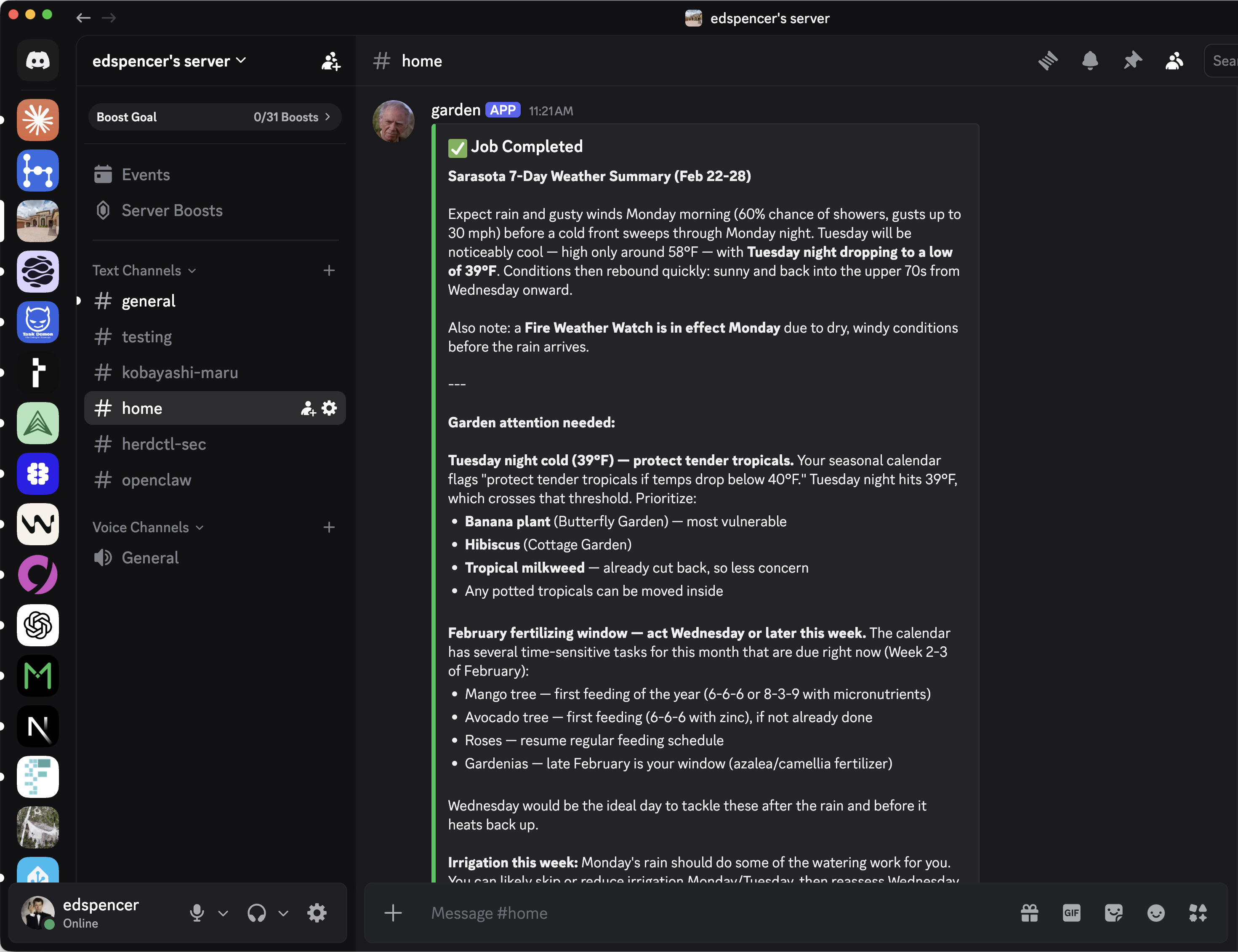
herdctl is an orchestration layer for Claude Code. It lets your agents run on a schedule, as part of a fleet, and puts them right in your discord or slack channel.
This week herdctl gained support for Slack and Web connectors, opening up two new ways to interact with your Claude Code agents, running on whatever machine you like.
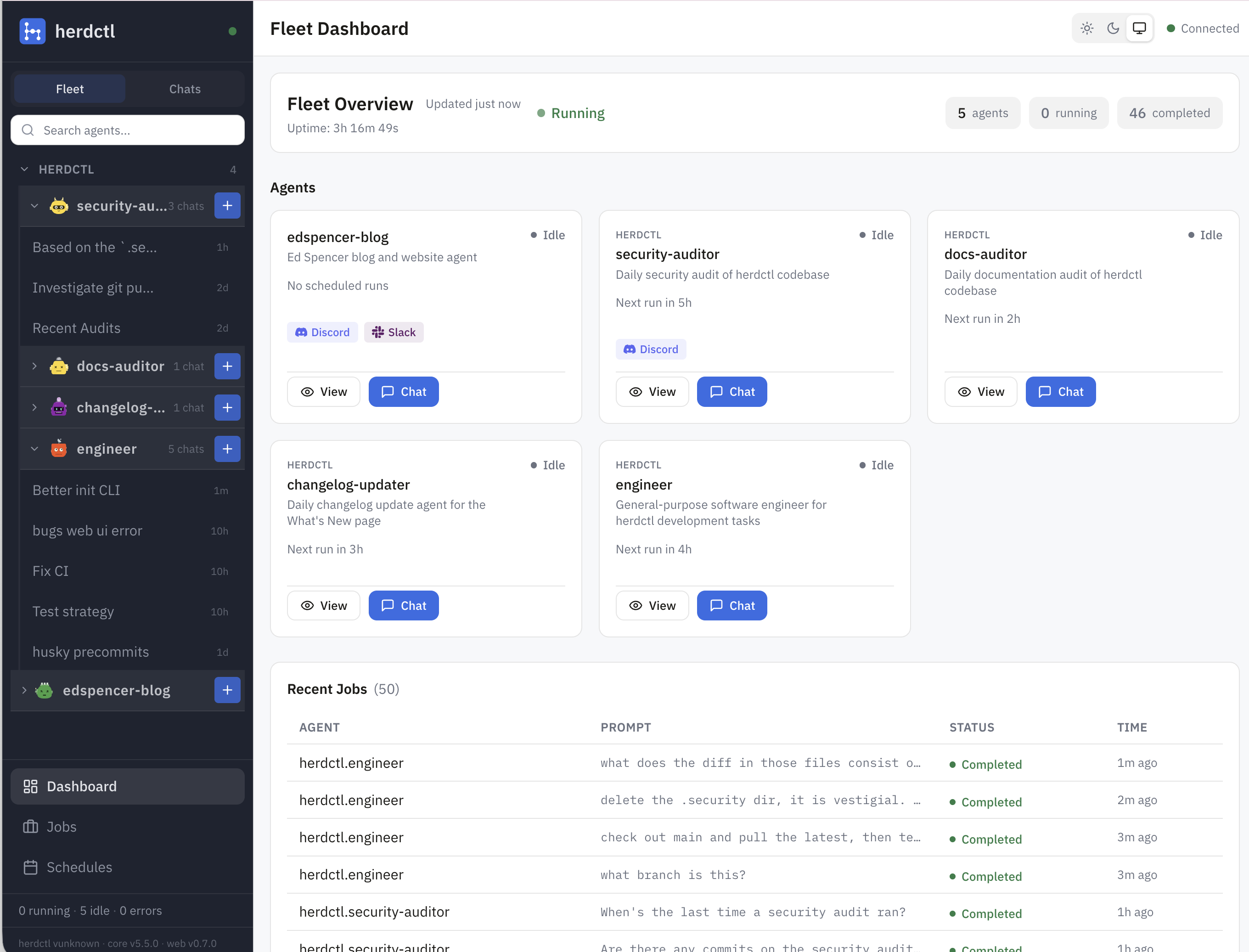
The new web UI provides fleet management and a chat frontend. It's a bring-your-own-auth app that you can configure to run on your laptop, on a proxmox machine (I do both), in the cloud, or wherever. Enable it like this in your fleet config:
Then just start your fleet like normal:
Here's what it looks like:
By default the web server runs on http://localhost:3232, but you can configure it to another port if you like. You're talking to the same Claude Code you would usually be talking to, so depending on what level of permissions you set in your herdctl config, it can do basically anything that Claude Code can do.
At the moment the web chat is fairly primitive, so for any medium-heavy tasks I'm still using Claude Code directly. But for simple tasks and for interrogation or ideation or conversations about architecture, the herdctl web UI is already my go-to because I tend to keep dozens of conversations going at once and there's only so far zellij can help manage all those terminal tabs with Claude Code running in them.
The chats in herdctl persist across restarts, and under the covers it's just calling Claude Code anyway, so you can even resume the chat session you were having in the web UI in Claude Code itself.
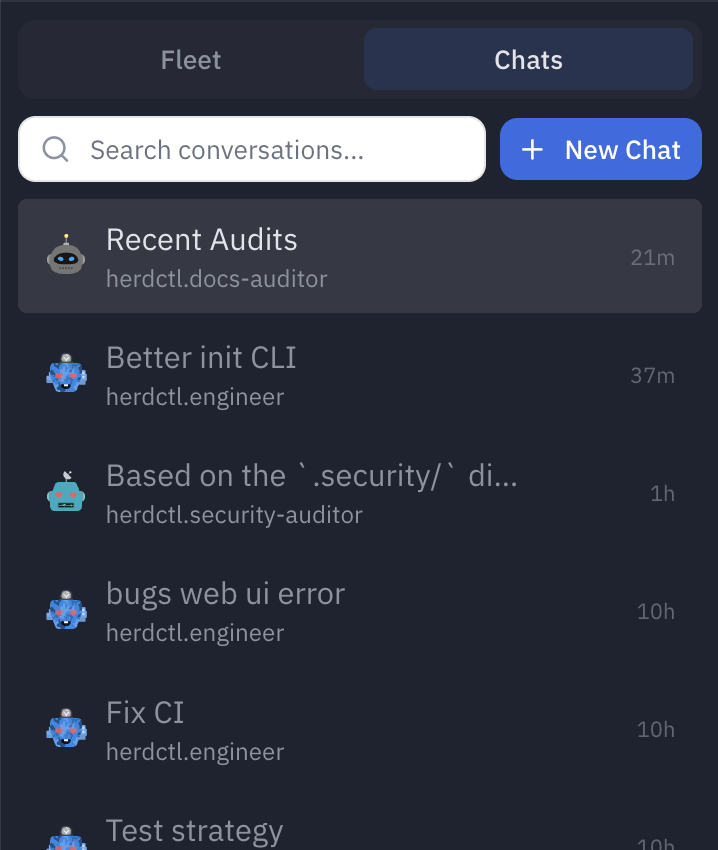
It works pretty well on mobile, which will probably continue to be true as I am not likely to lose the bad habit of talking to my agents in bed.
While Slack and Discord are agent-level configurations, the web connector runs at the fleet level. the web UI is able to show all of the agents in your fleet, with chat and basic admin UIs for each of them:
Also dropping this week are Composable Fleets, which are already reflected in the web UI as nested groups of agents. As I build herdctl into more projects, I increasingly find myself creating a fleet of agents per project, and wanted a way to run them all and see what's going on with them.
For more on Composable Fleets, see this post.
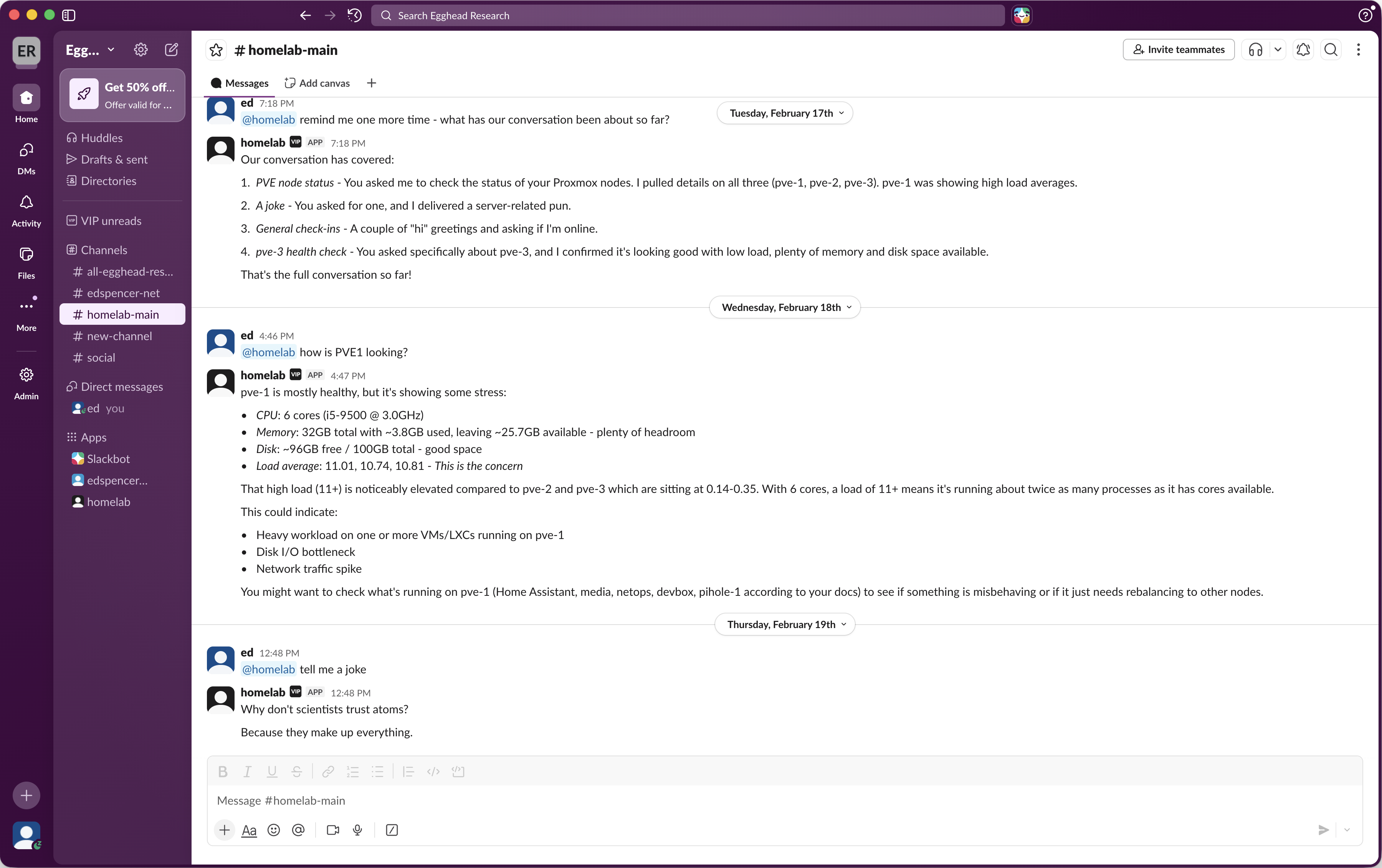
The new Slack chat connector is the first community contribution that's made it in to herdctl - big shout out to Alex for this awesome contribution! The Slack connector works just like the Discord one, and you can easily use both at the same time:
The Slack connector supports both direct messages and channel messages, and can be used at the same time as the Discord and Web connectors to expose your agents across multiple platforms. Beware that word expose, though, and use your best judgment on whether you actually do so.
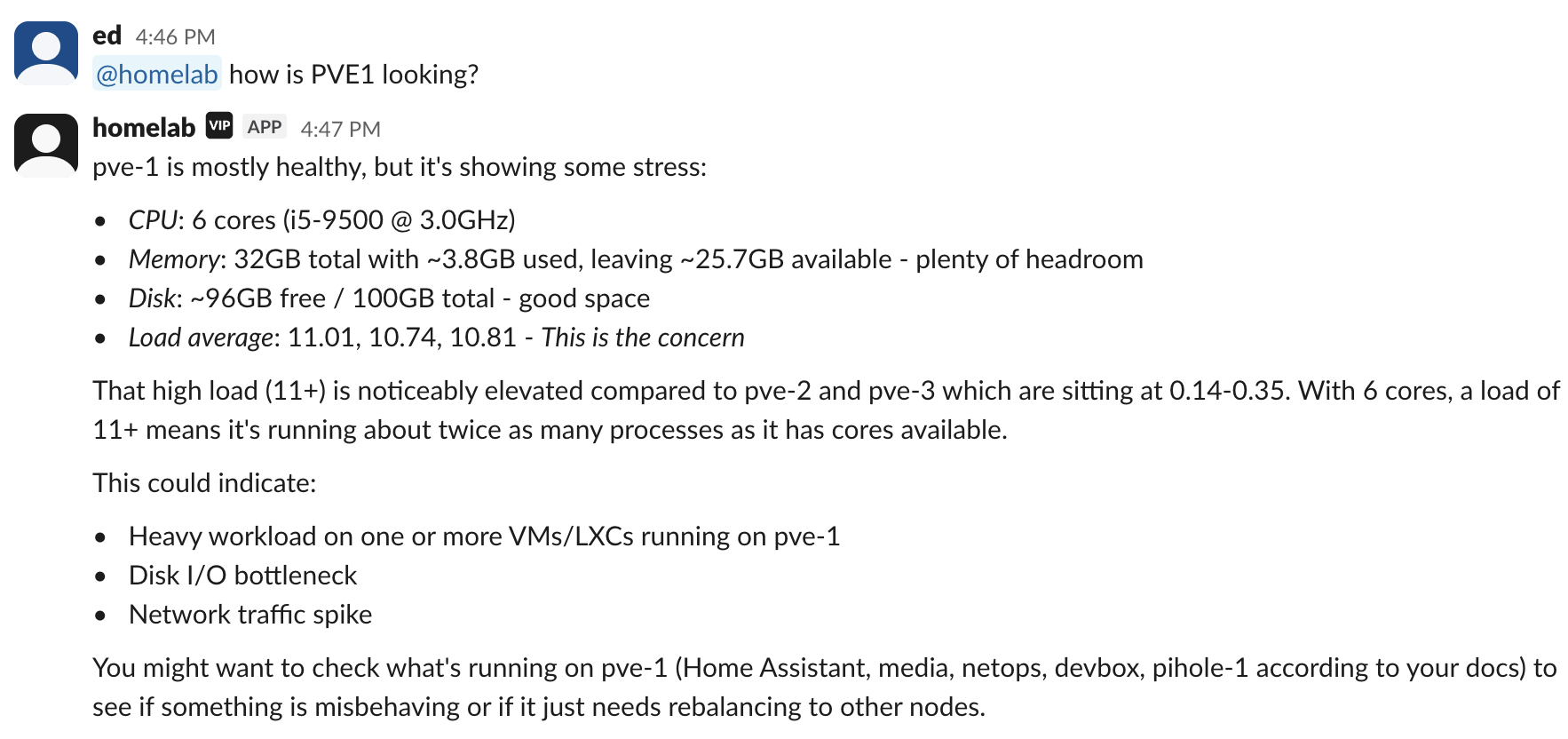
Aside from DM and channel whitelisting, the Slack integration can be configured to send messages for tool calls, tool results and other types of intermediate messages while it performs a task. And regardless of whether Slack is connected or not, the underlying HerdCTL agent still has its own set of permissions regarding the tools it can use, where it runs, and so on.
Find out more about herdctl at herdctl.dev.
herdctl is an orchestration layer for Claude Code. It lets your agents run on a schedule, as part of a fleet, and puts them right in your discord or slack channel.
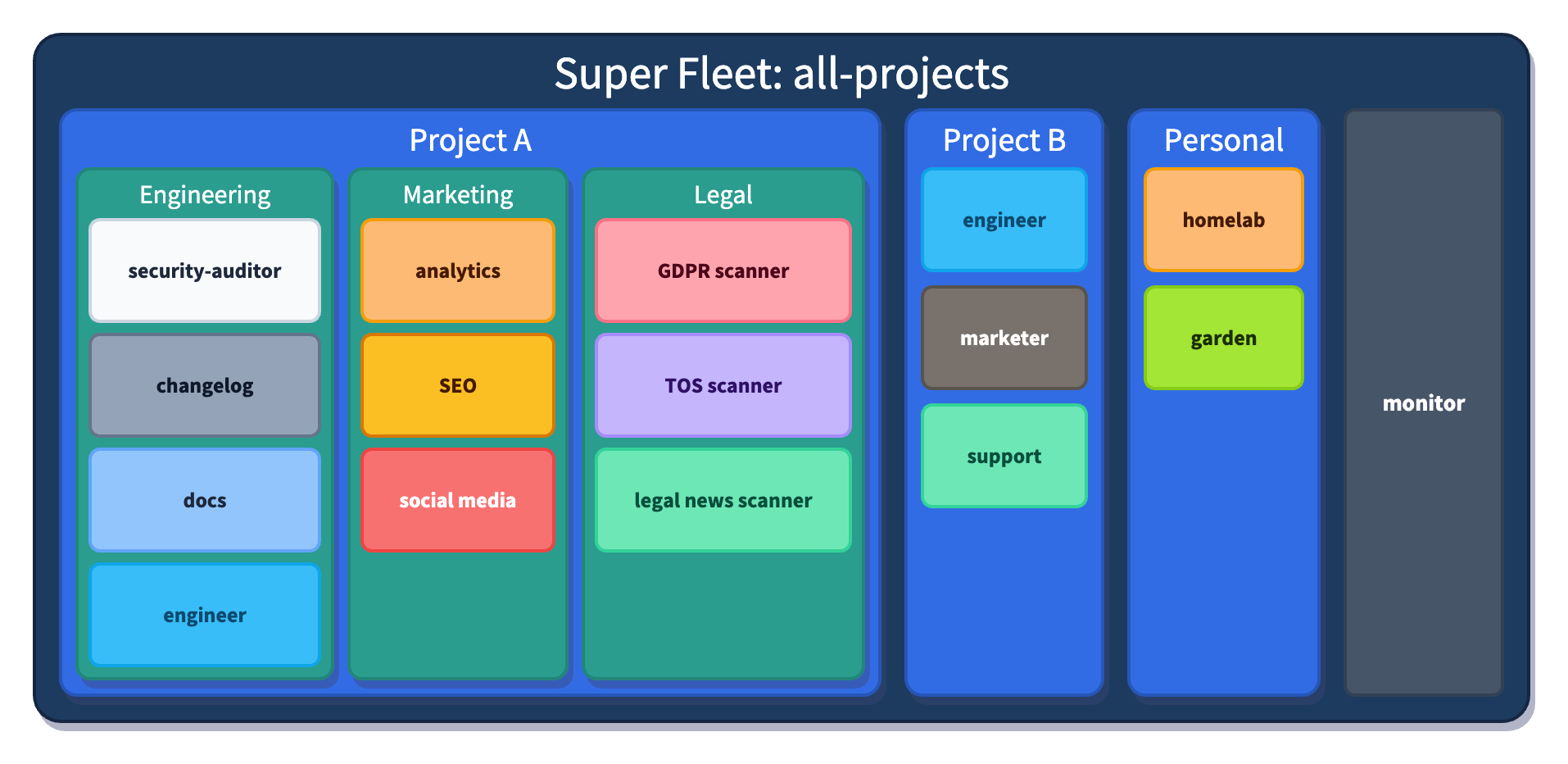
I justed added support for Composable Fleets to herdctl. As I build herdctl into more projects, I increasingly find myself creating a fleet of agents per project, and wanted a way to run them all from a central place so that I can juggle a bunch of things at once.
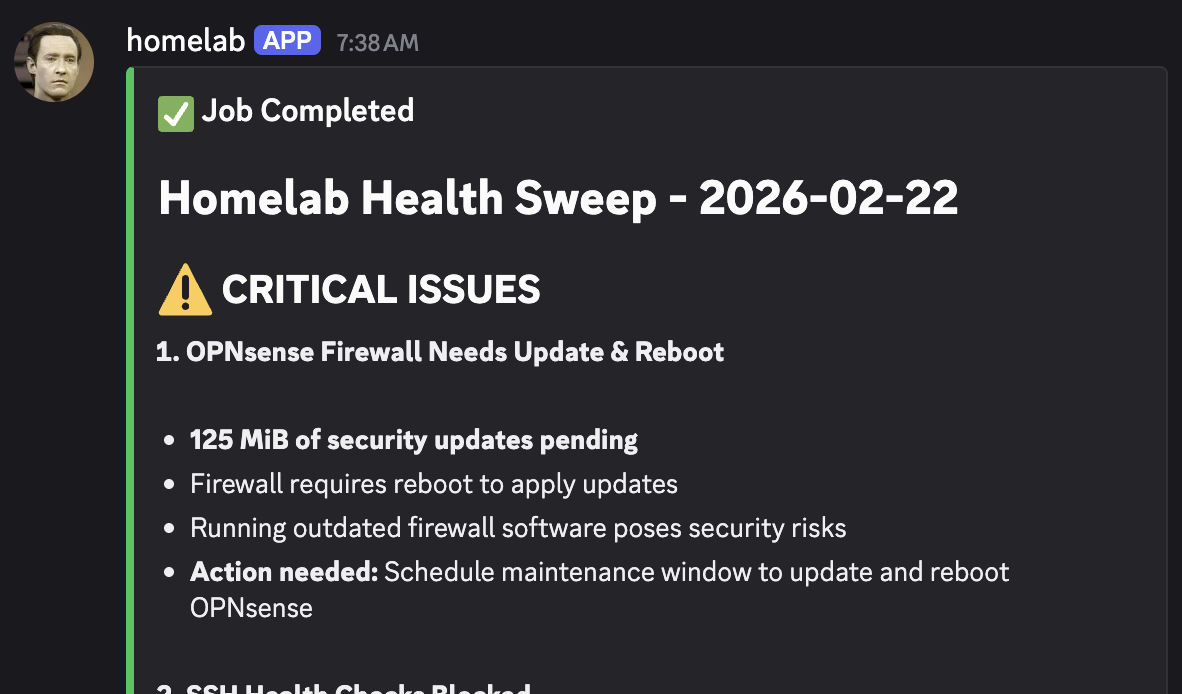
herdctl makes it really easy to run agentic workflows on a schedule. One of the first such workflows I added to herdctl itself was a daily security audit. This has been running for a few weeks now, so I wanted to share some early results.
Every agent in one place — persistent, resumable, and still working when you look away
See how it worksherdctl runs Claude Code agents securely in Docker, with schedules and chat
Learn more
Paddock is browser tabs for Claude Code — persistent, resumable sessions, organized by project
→ Read more
herdctl runs Claude Code agents securely in docker, with optional schedules and chat
→ Read more
mdx-prompt lets you write reusable and composable LLM prompts using JSX
→ Read more
bragdoc.ai is an open source Next JS AI SaaS app for tracking your work
→ Read more
react-auto-intl automatically internationalizes and translates React and Next JS apps
→ Read more
NarratorAI creates AI-powered content like intros and search result summaries
→ Read more
InformAI allows AI to access and understand the information in your React components
→ Read more
ReadNext creates AI-powered content recommendations for your blog or other content
→ Read moreI've built things on the web for 20 years, and used JavaScript before it was cool.
I've been working for myself since early 2023, going wherever my heart takes me - mostly playing with AI and UI.